> ## Documentation Index
> Fetch the complete documentation index at: https://hub.stackone.com/llms.txt
> Use this file to discover all available pages before exploring further.
# Recruitee Assessment or Background Check
> To successfully send test notifications from Recruitee, follow these steps in your Recruitee account and complete the necessary actions.
This documentation proceeds with the `Assessments` configuration steps. However, the `Background Check` process follows the exact same steps as `Assessments`.
## To Send the Assessment/Background Check Invitation to the Candidate
Navigate to the *Candidate List* page and select the candidate.
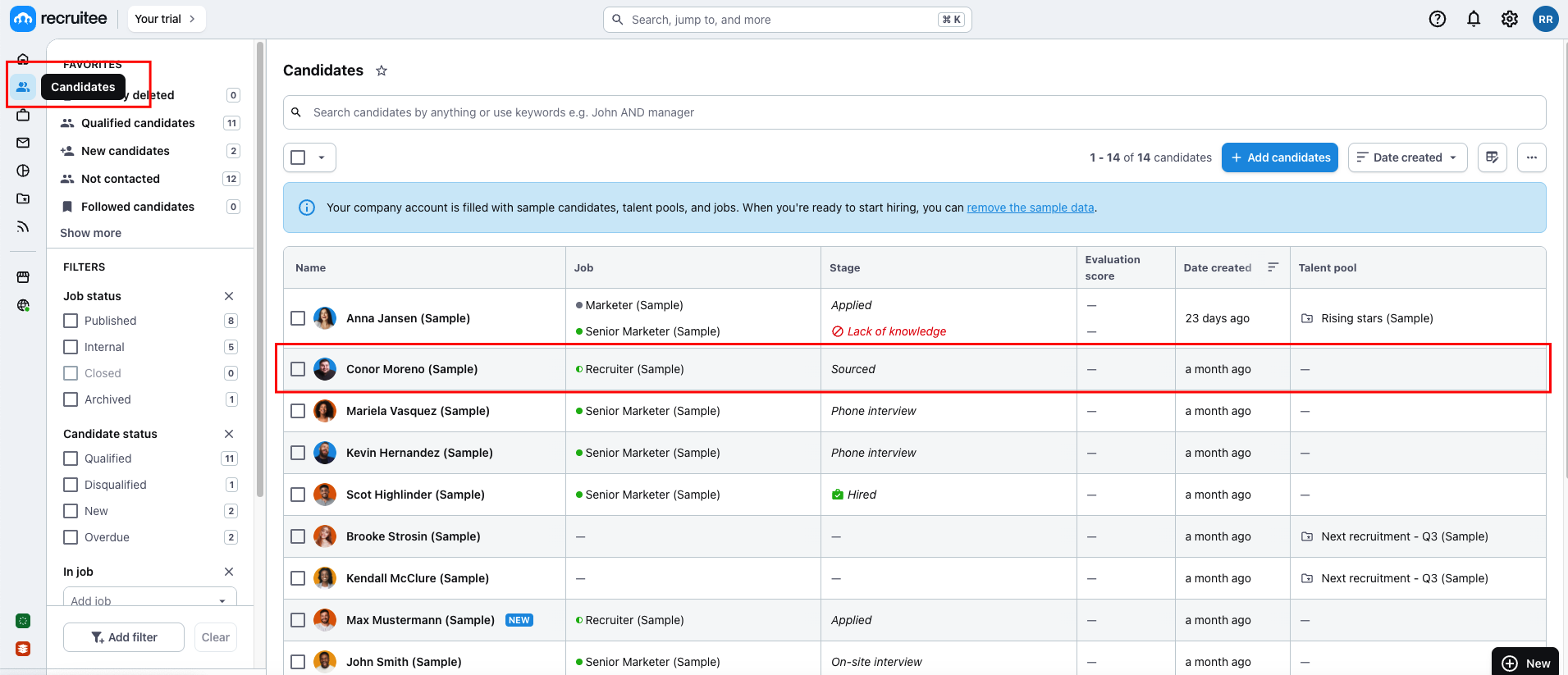 Click on the `menu` icon, then select `Send Stackone Test` to proceed.
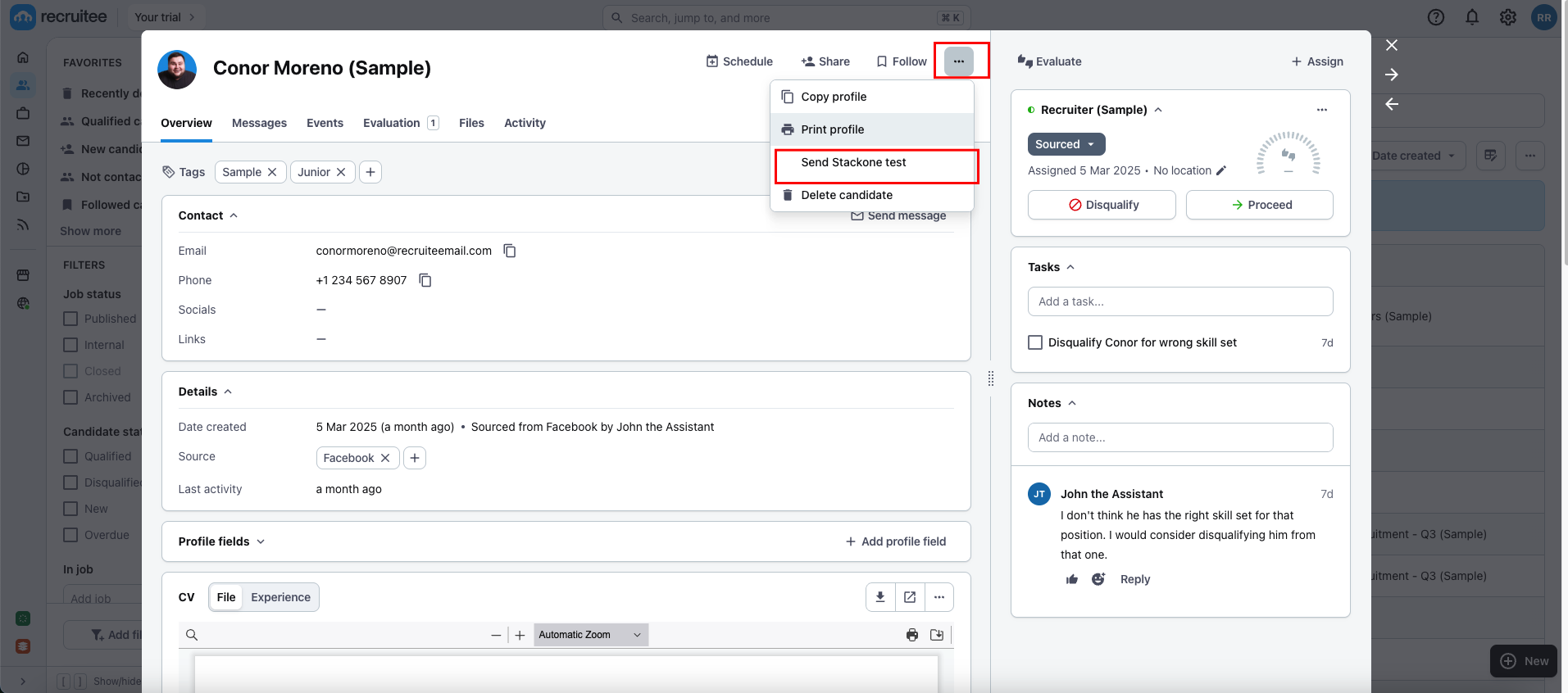 A pop-up will appear, allowing you to select the `Assessment Test`.
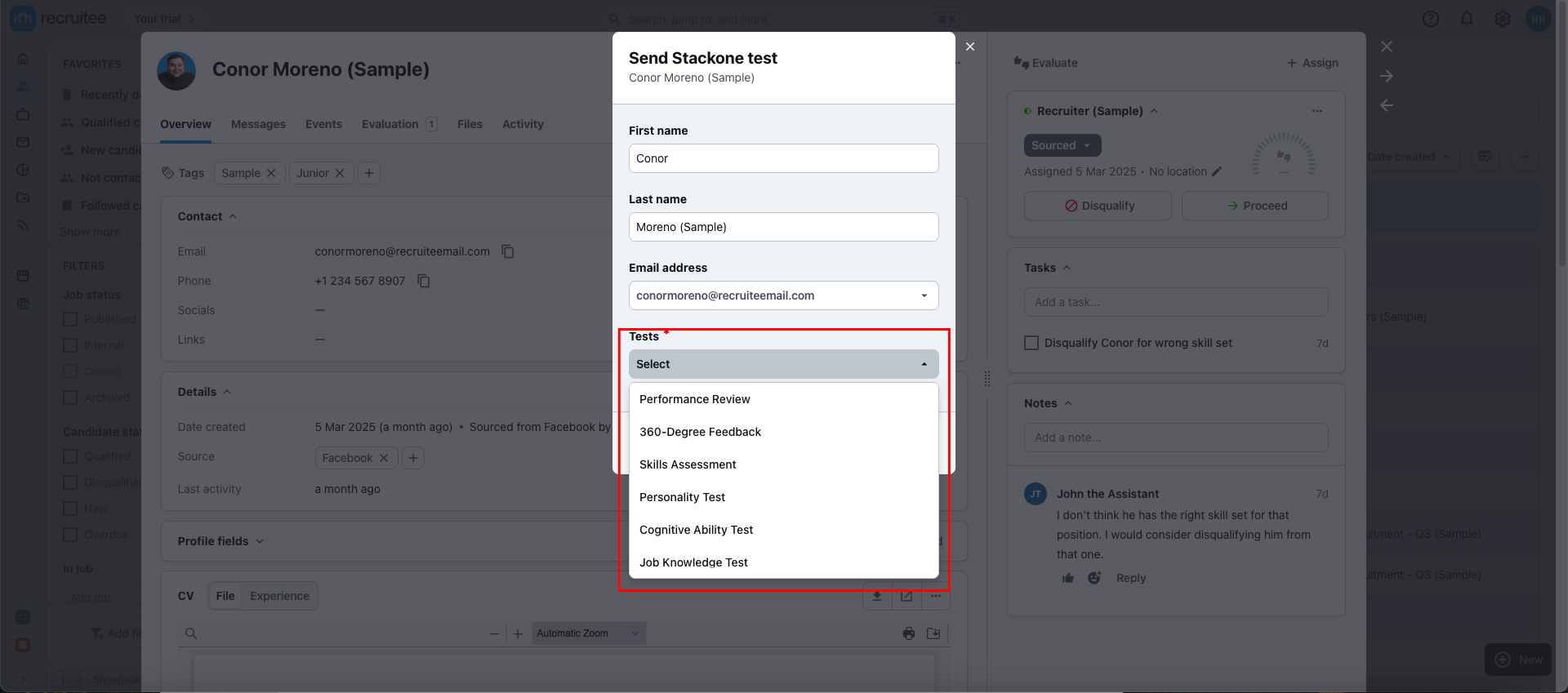 Select the `Assessment Test`, wait a few seconds for the `Send` button to become enabled, and then click on `Send` to dispatch the notification.
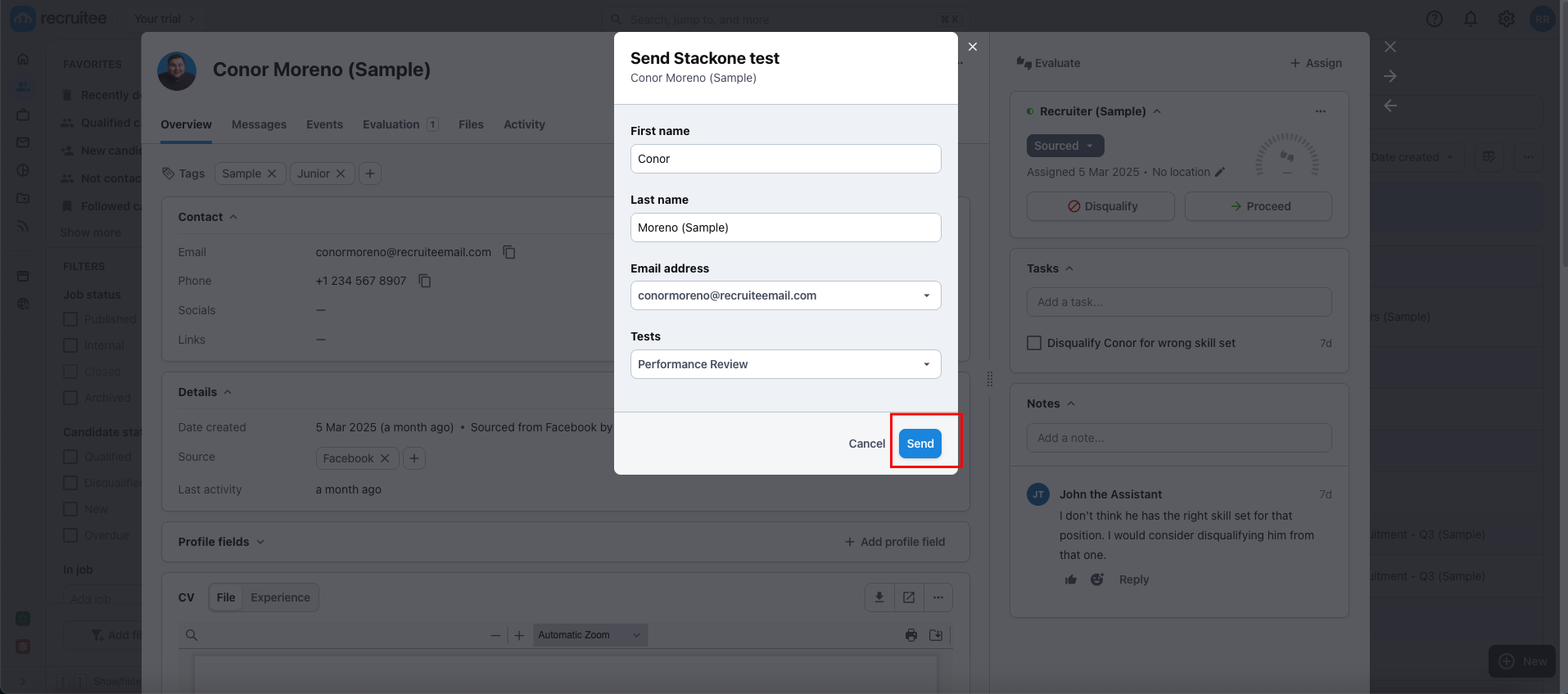 Once the Assessment Test notification is successfully sent, you can find the status of the test on the candidate's profile as follows:
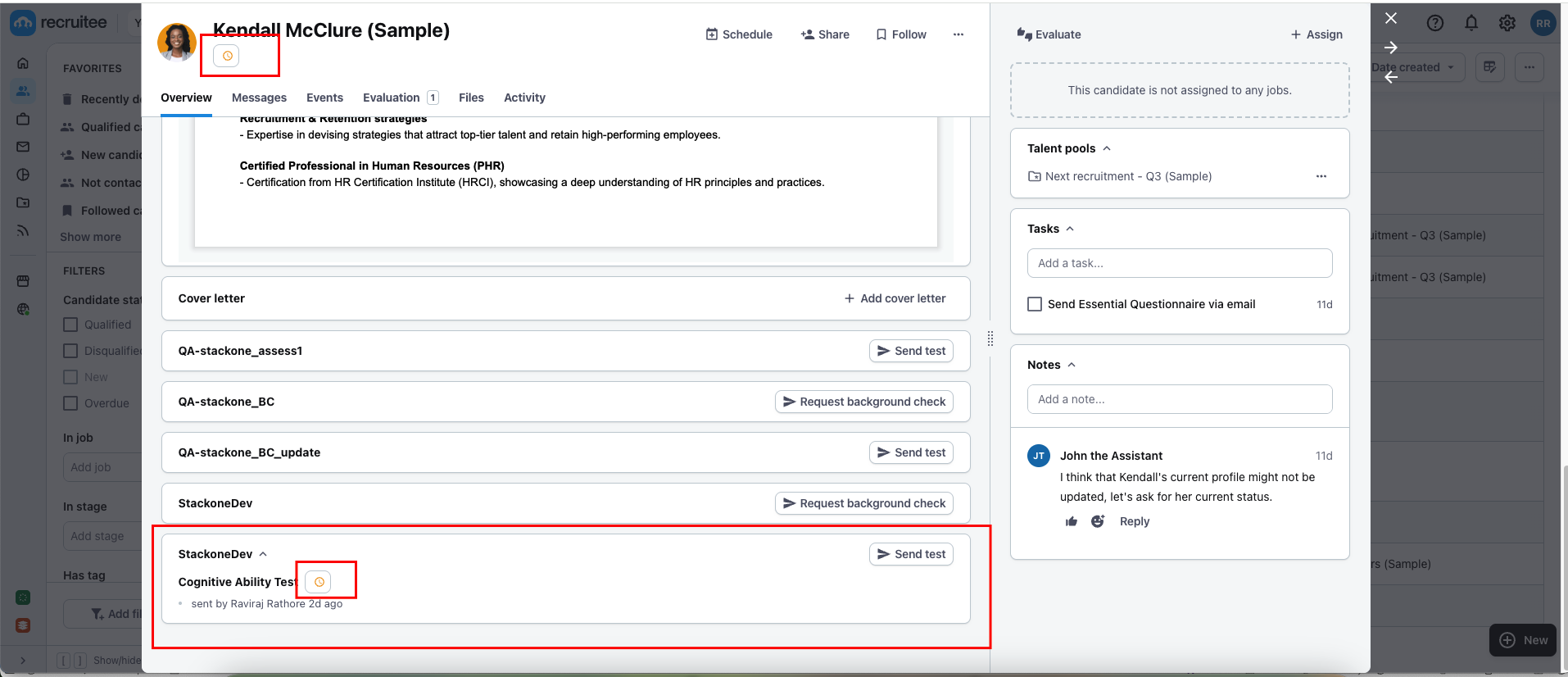 ## To Check Updated Result of the Assessment/Background Check Invitation of the Candidate
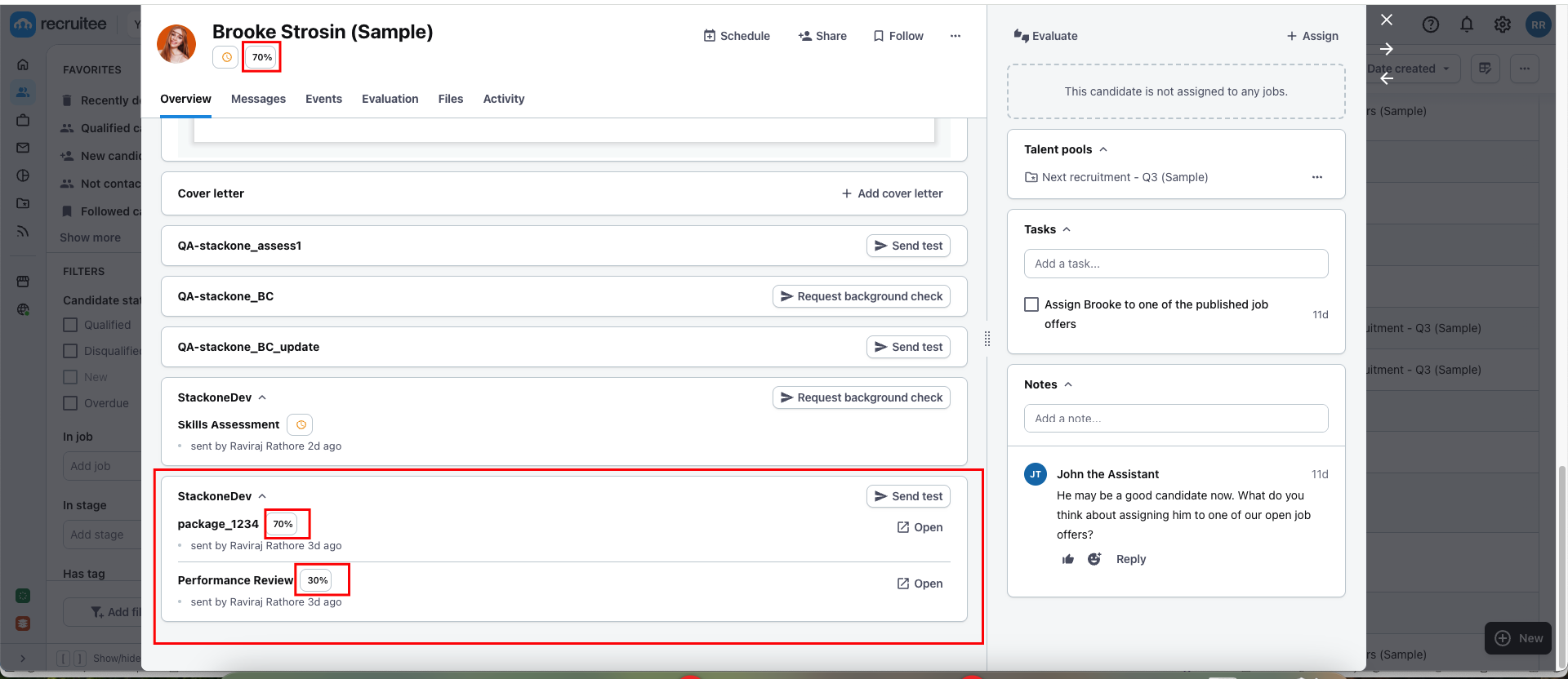
Navigate to the candidate profile, where you will see the updated results along with the score from the previously sent test. This information will be available once the candidate has completed the Assessment and Background Check.
## To Check Updated Result of the Assessment/Background Check Invitation of the Candidate
Navigate to the candidate profile, where you will see the updated results along with the score from the previously sent test. This information will be available once the candidate has completed the Assessment and Background Check.
 ## Useful Links
[https://docs.recruitee.com/reference/post-partner](https://docs.recruitee.com/reference/post-partner)
## Useful Links
[https://docs.recruitee.com/reference/post-partner](https://docs.recruitee.com/reference/post-partner)