Generating Harvest API Key
1
Open the Configuration Page
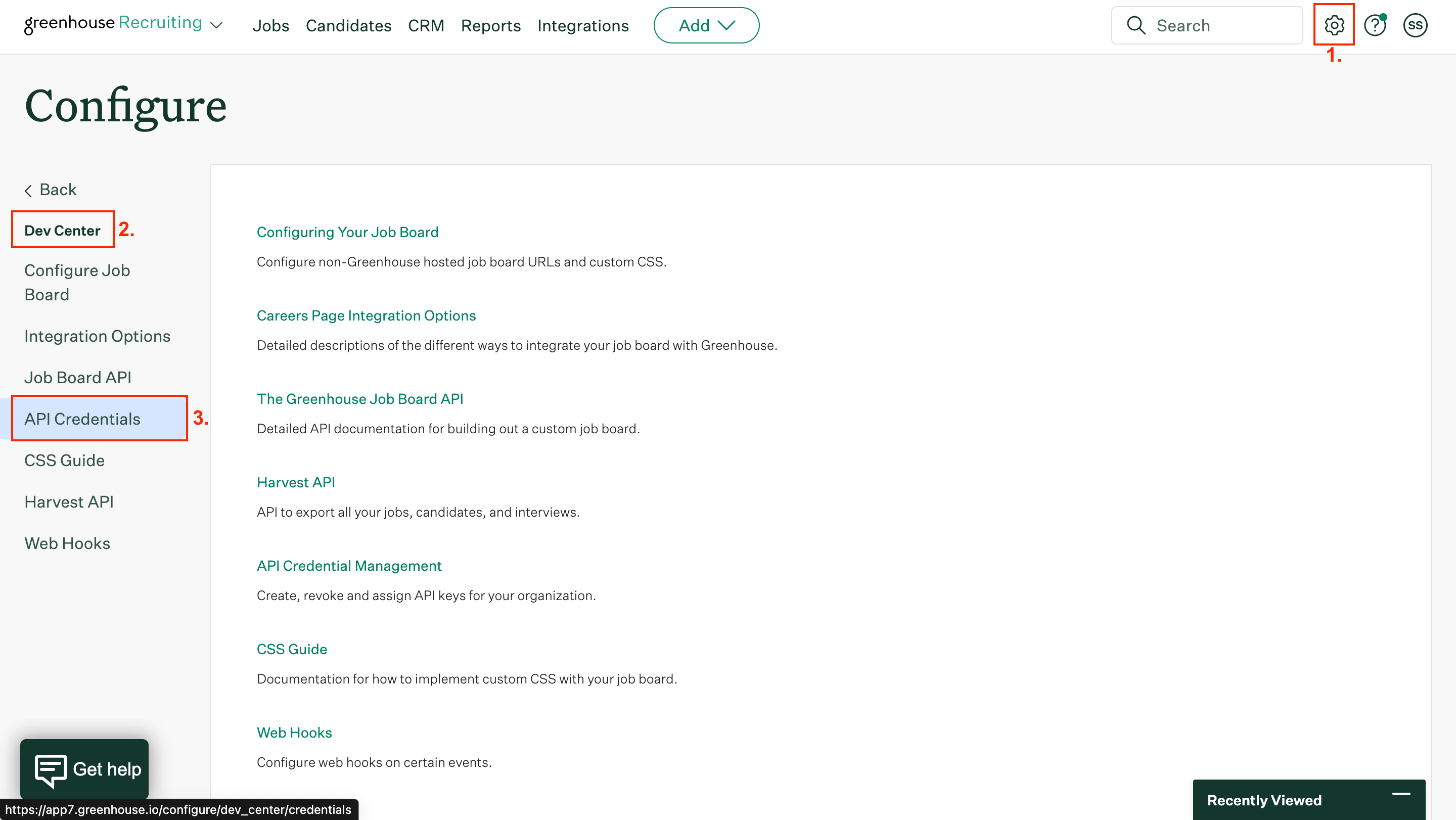
Click on Configure gear ⚙️ and open Dev Center > API credentials.
2
Create a New API Key
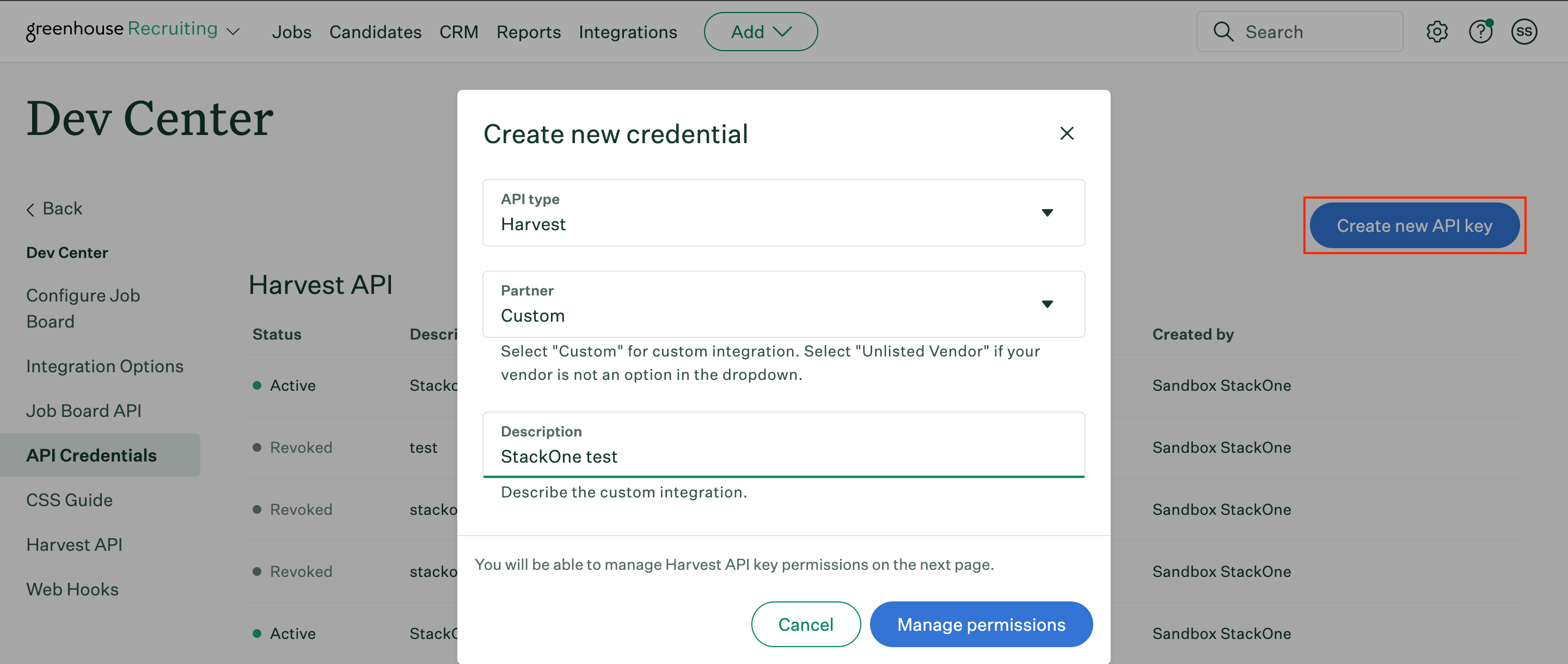
Click Create new API key. Specify the following parameters:API type – HarvestPartner – CustomDescription – “Describe_your_integration”
3
Generate and Save the API Key
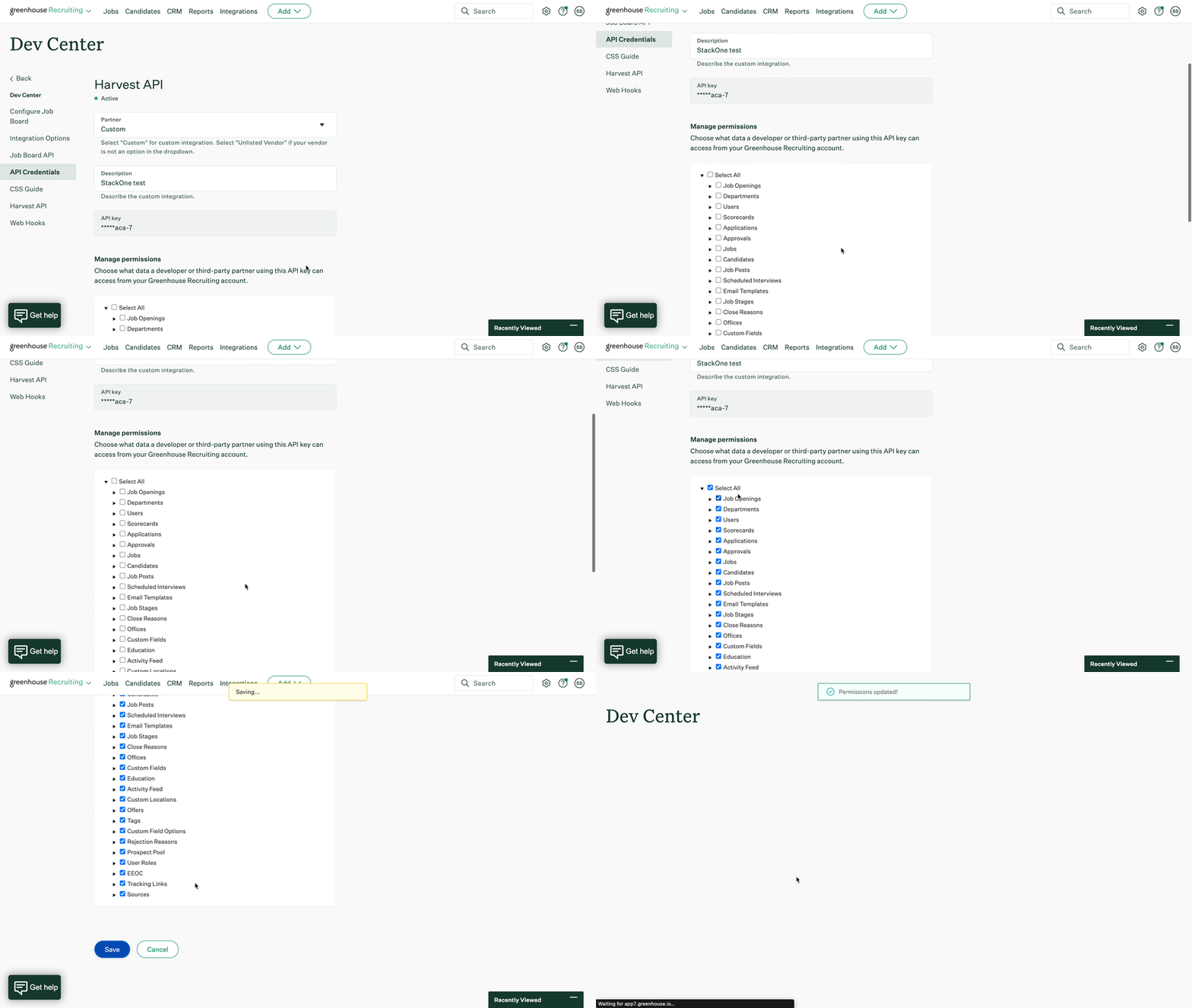
Click Manage permissions.Copy your newly generated API key to a safe place. Then click I have stored the API key.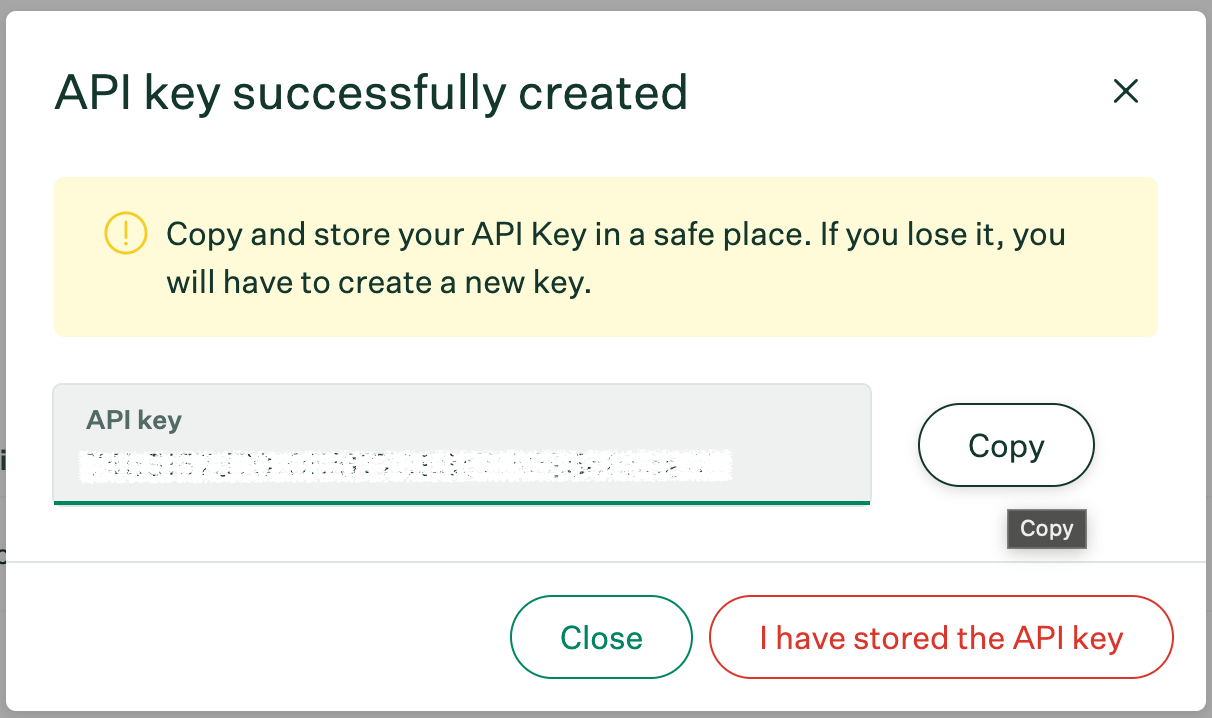
4
Enabling Permissions
In the Manage permissions page, enable Select all and click Save.
Generating Job Board API Key
1
Create Job Board API Key
In the API credentials page, click Create new API key. Specify the following parameters:API type – Job BoardPartner – CustomDescription – “Describe_your_integration”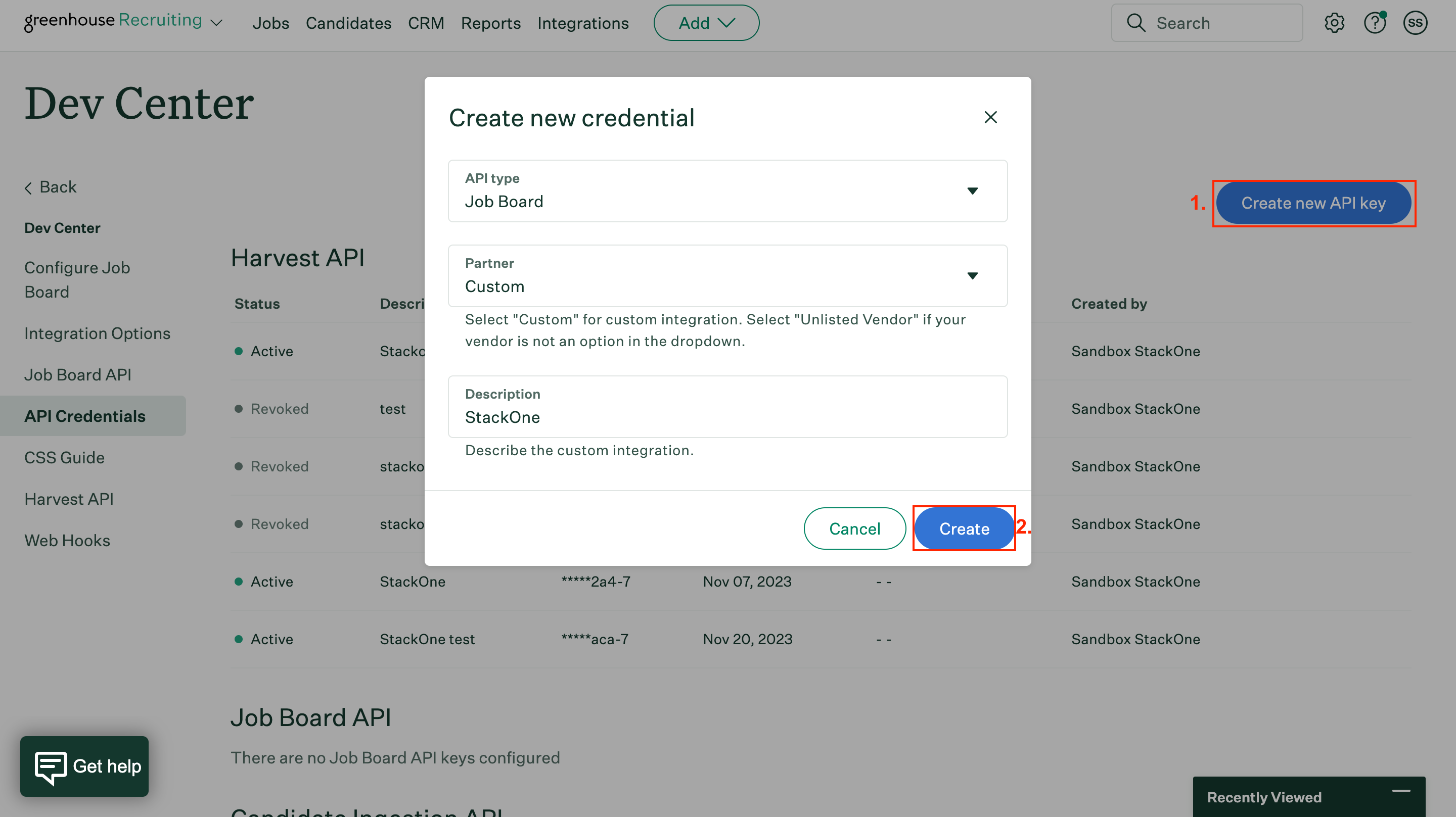
2
Save the API Key
Copy your Job Board API key to a safe place. Then click I have stored the API key.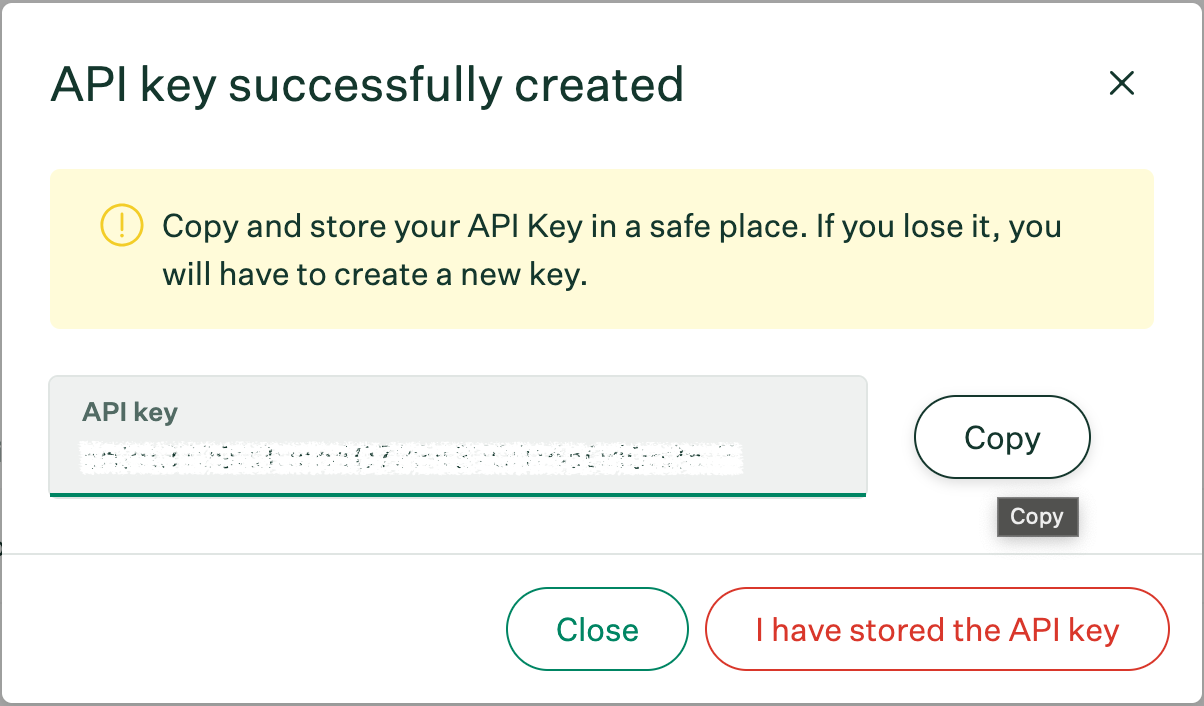
Retrieve a greenhouse User ID
Per the Greenhouse documentation, you can get a user ID by going to the users page, select a user with Site Admin permission and retrieve the user ID present in the URL: Screenshot of an example user ID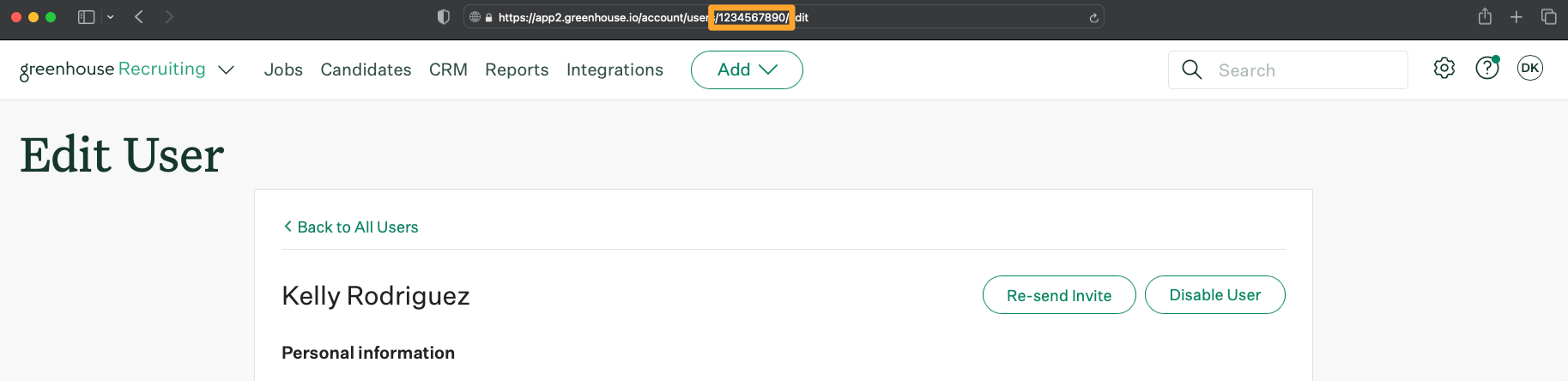
Connect with StackOne
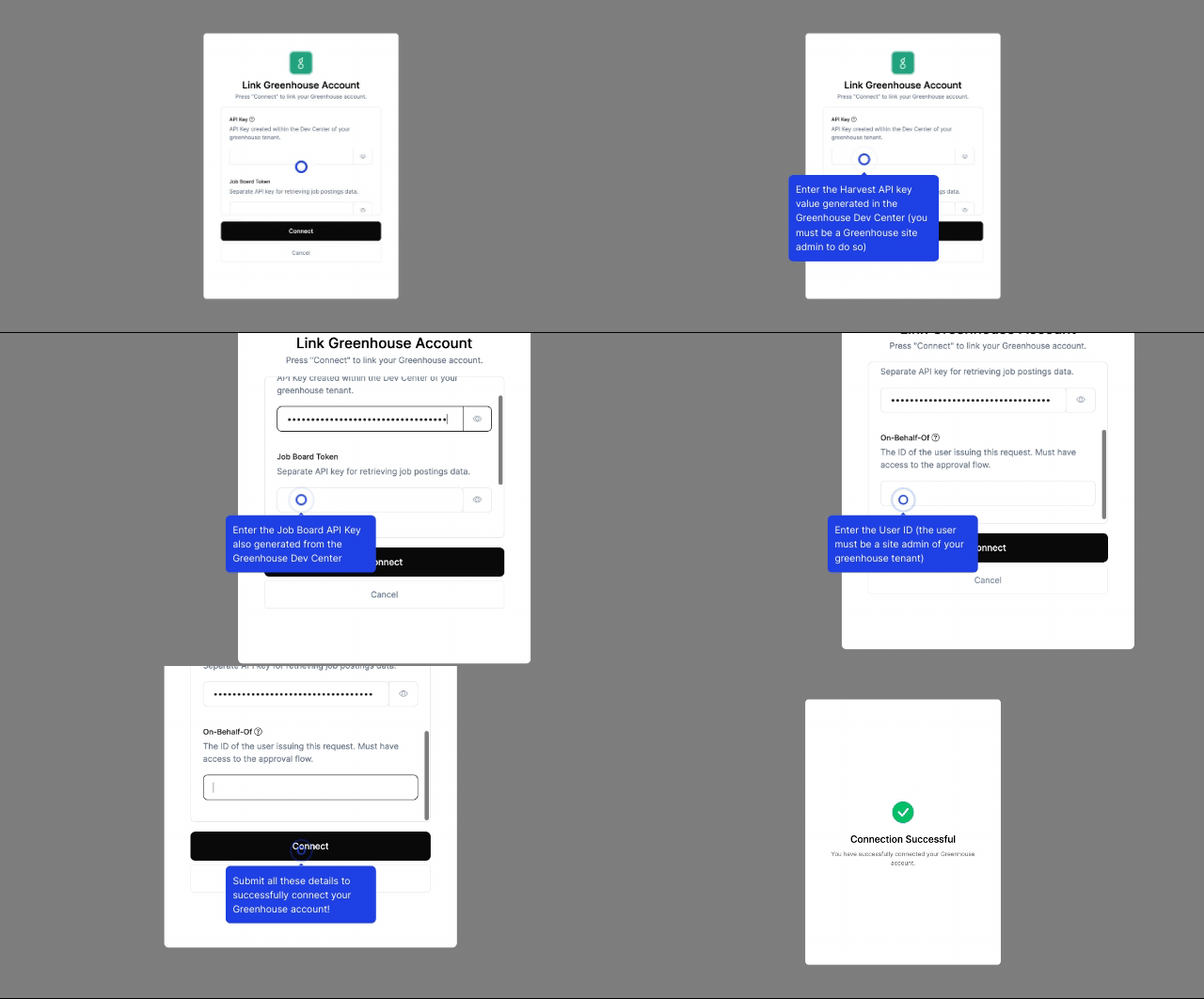
Enter the gathered details in the relevant inputs and proceed by clicking the Connect button.