> ## Documentation Index
> Fetch the complete documentation index at: https://hub.stackone.com/llms.txt
> Use this file to discover all available pages before exploring further.
# Paylocity
> Follow these steps to connect Paylocity via the StackOne Hub successfully.
Ensure that your Paylocity account has Admin privileges.
If you've been directed to StackOne to integrate with Paylocity, the following steps will help you understand the process and any necessary actions to configure a successful integration.
## Getting the Credentials
Ensure you have `Company ID` and OAuth credentials for `Weblink` and `NextGen` API's to connect with Paylocity.
You must request these credentials from your Paylocity support contact. A partnership is not required; this integration will remain private only for your account.
You can find more information on the Paylocity's API page.
## Connecting with StackOne
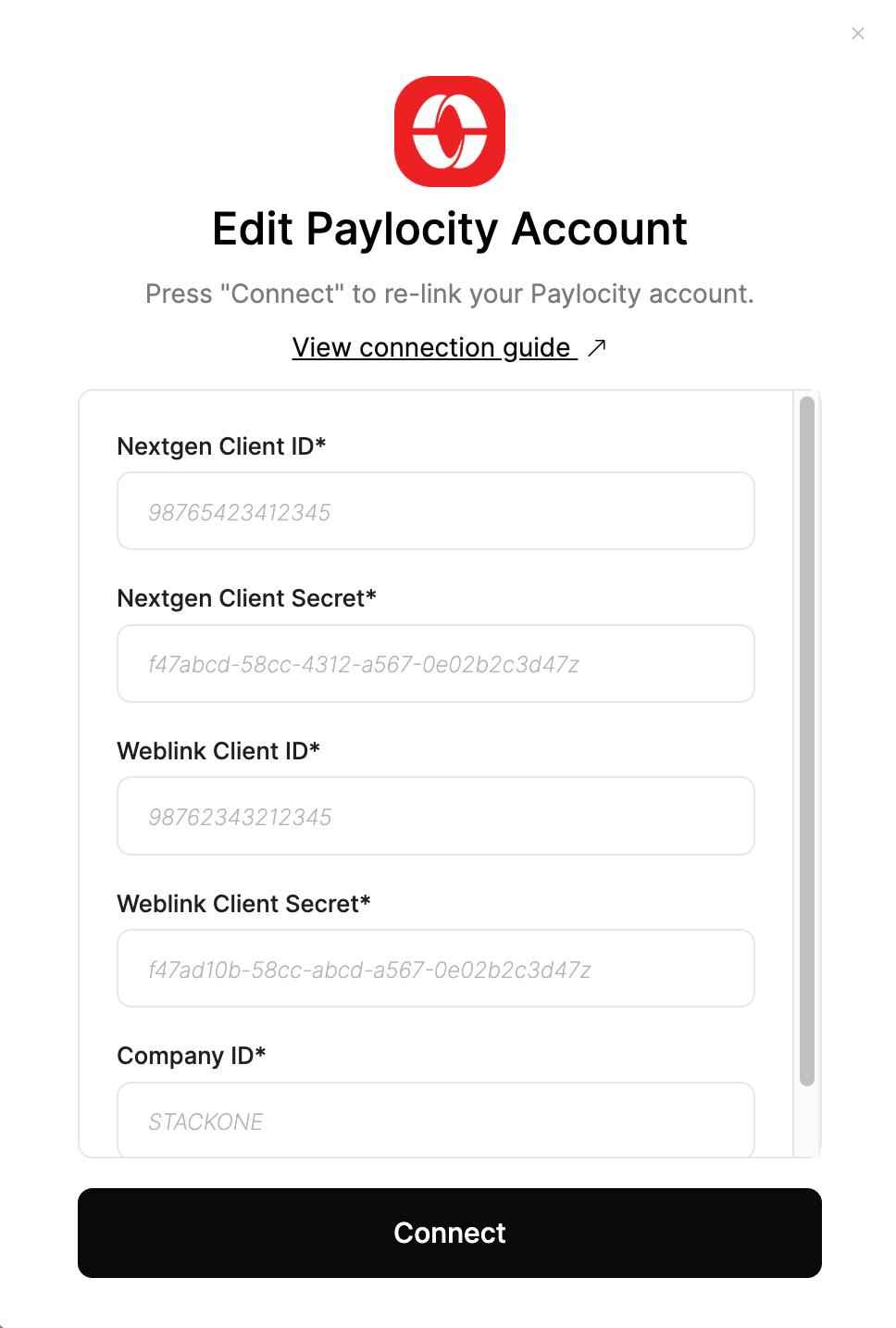
Upon reaching the Link Account page, enter the `Nextgen Client ID`, `Nextgen Client Secret`, `Weblink Client ID`, `Weblink Client Secret` and `Company ID`.
Then proceed by clicking the **Connect** button.
 ## Useful Links
[https://developer.paylocity.com/integrations/reference](https://developer.paylocity.com/integrations/reference)
## Useful Links
[https://developer.paylocity.com/integrations/reference](https://developer.paylocity.com/integrations/reference)