Get your Rest Server URL
You can find the REST Server URL, username, and password in the welcome email sent to your Oracle Cloud service administrator. This is typically the URL of your Oracle Cloud service. Example:https://servername.fa.us2.oraclecloud.com.
Create a Service User with Required Roles
1
Access Setup and Maintenance
Within your Oracle Cloud Vision instance in the left side navigation panel, expand My Enterprise, then click Setup and Maintenance.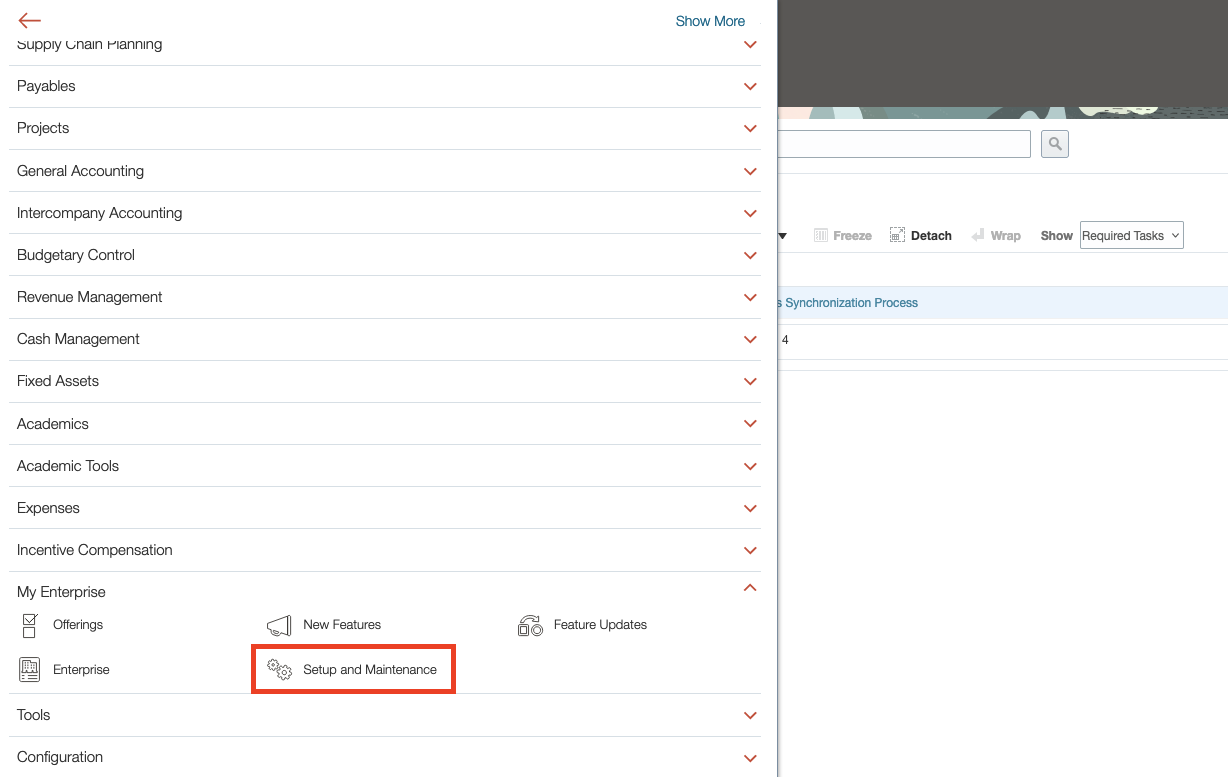
2
Manage Job Roles
Under “Functional Areas”, click Users and Security. Then on the right, click Manage Job Roles.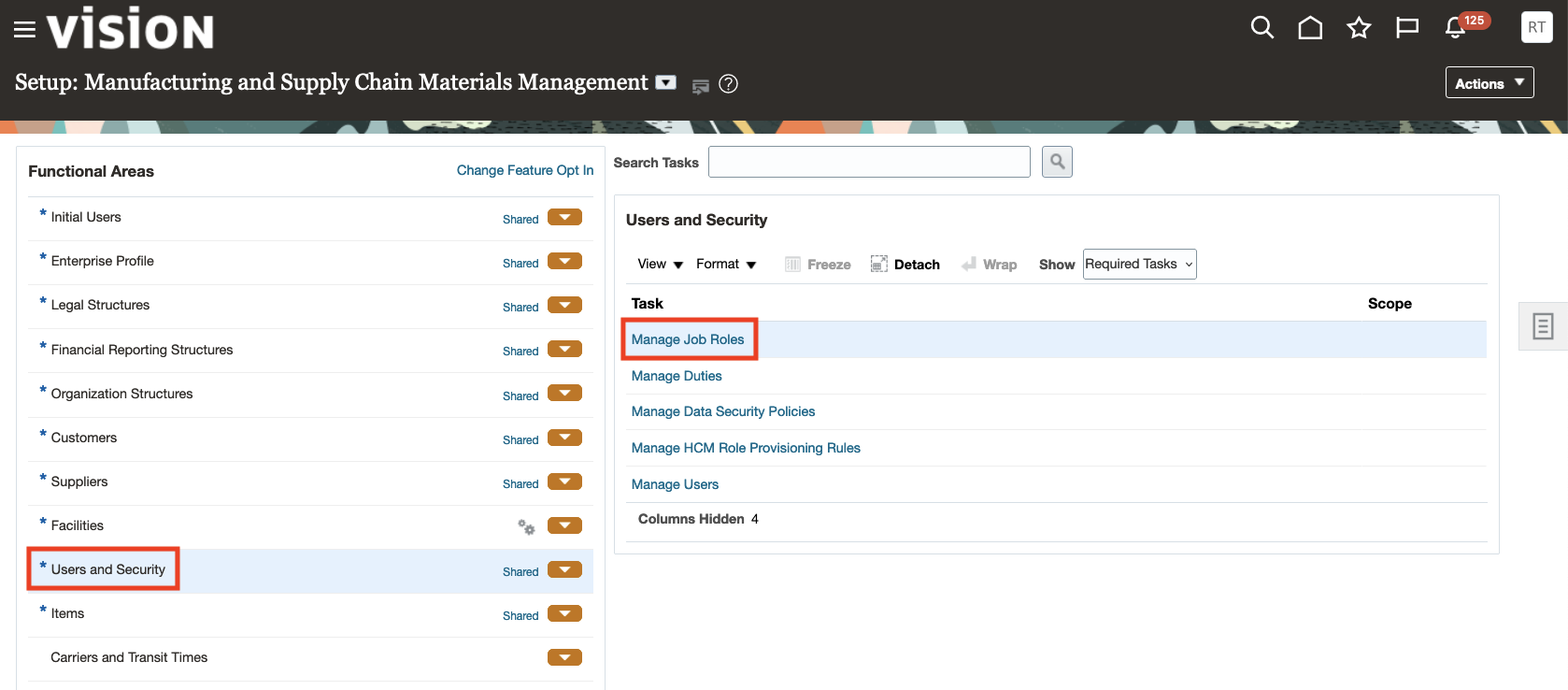
3
Add User Account
In the left navigation panel, click Users. Then click the Add User Account button in the top right.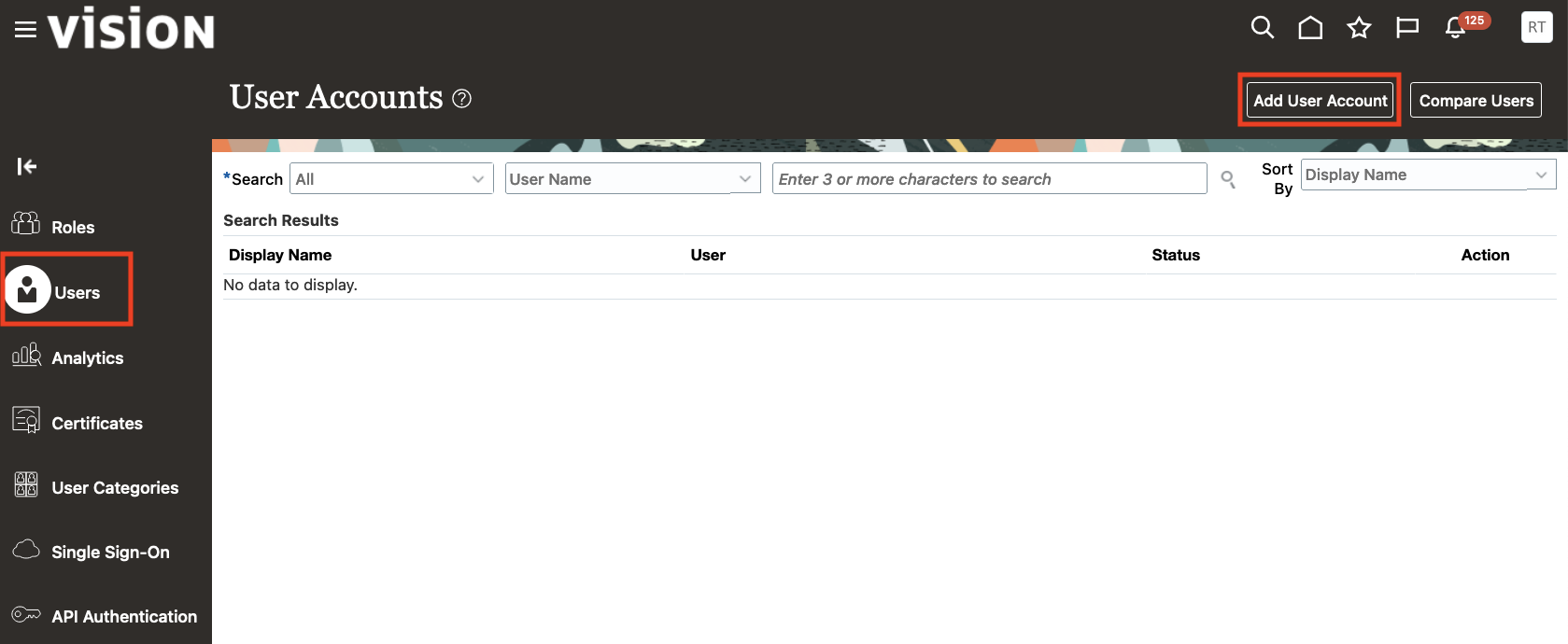
4
Enter User Information
Enter the new User Information for the new Service User to be authorized for this integration. Store these credentials safely. The required fields are: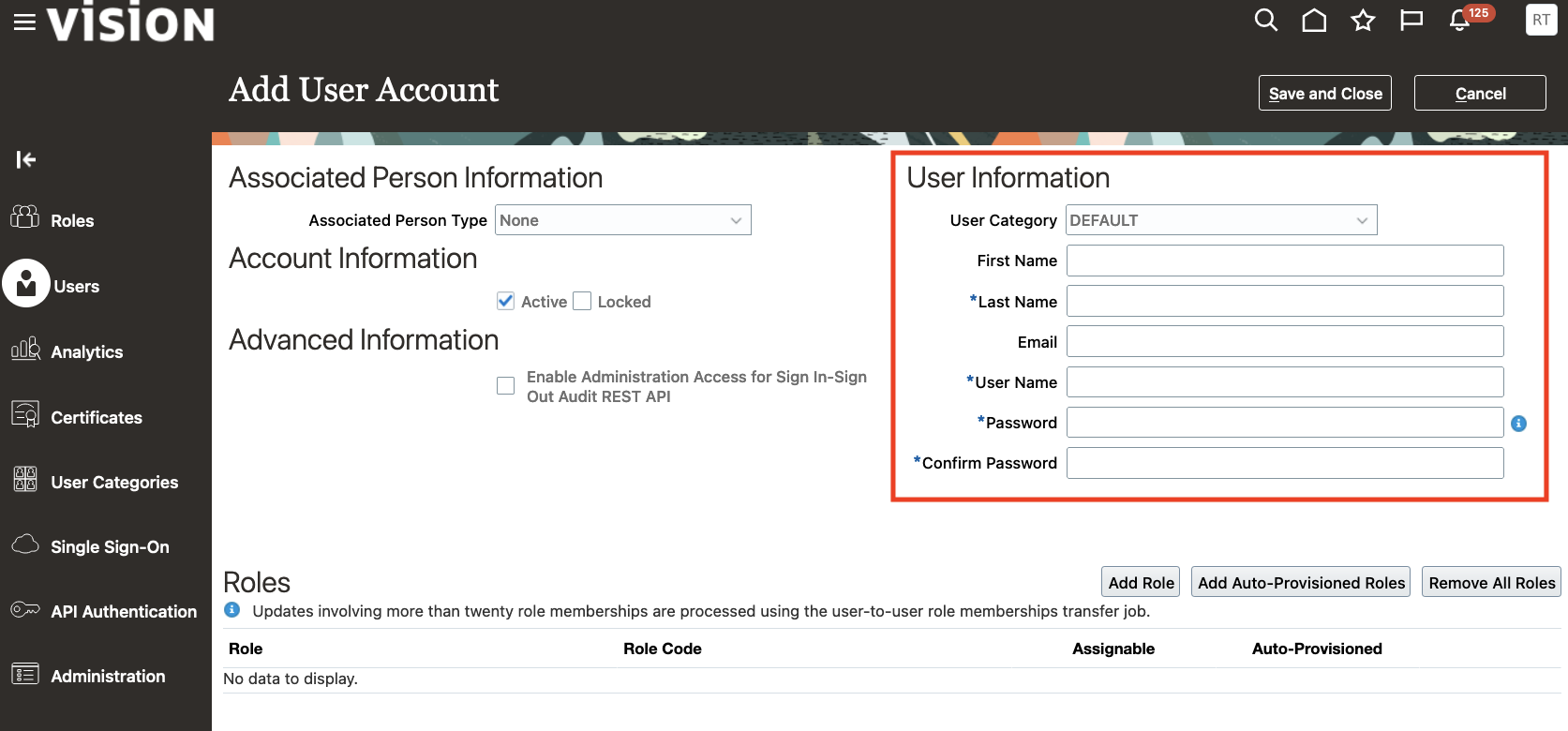
- Last Name
- Username
- Password
- Confirm Password
5
Add Required Roles
Determine the required roles based on the integration category. The HRIS integration requires the following roles: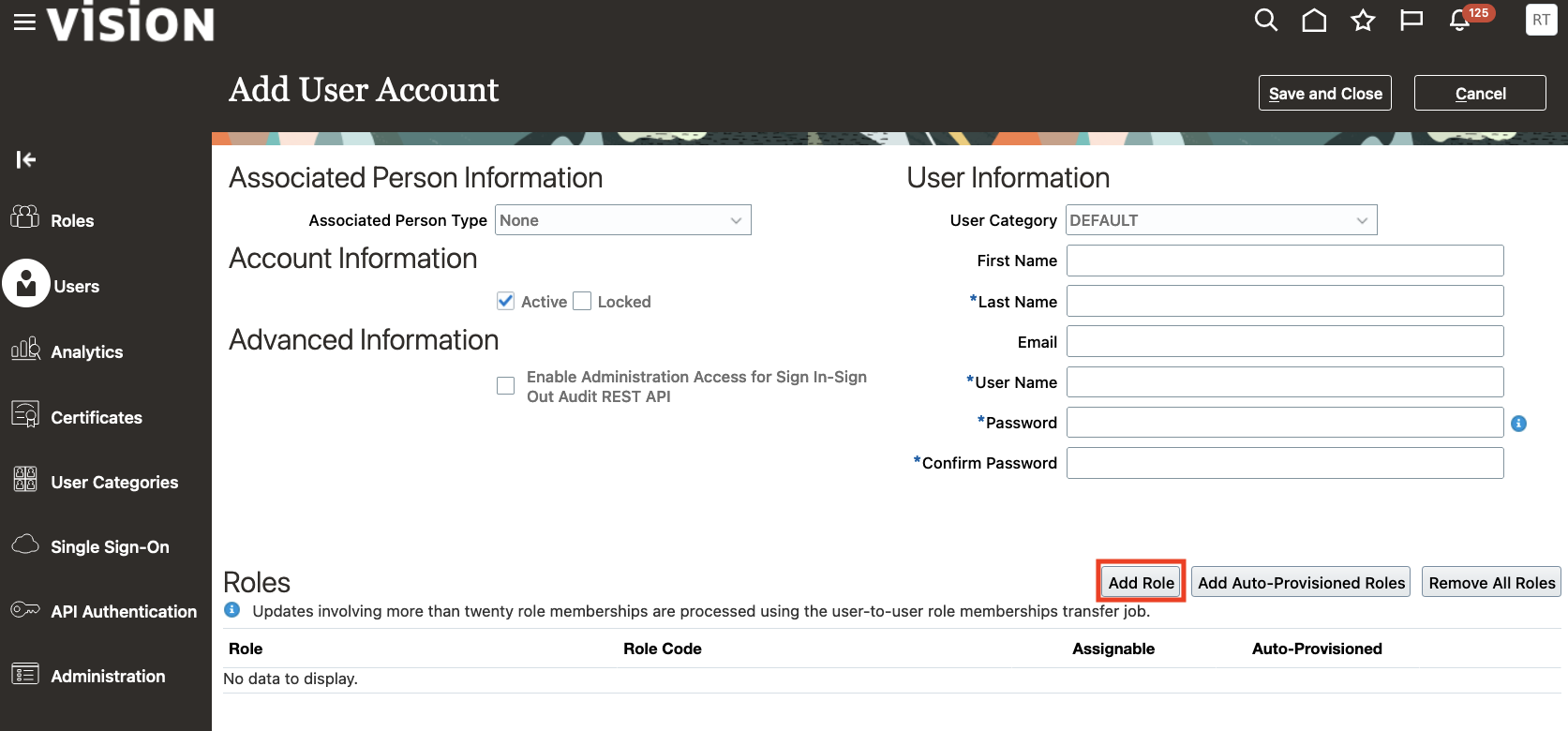
- ORA_RECRUITER_JOB
- PER_RECRUITING_ADMINISTRATOR_JOB
- ORA_IRC_RECRUITING_AGENT_JOB
- ORA_RECRUITING_MANAGER_JOB
- PER_HUMAN_RESOURCE_SPECIALIST_JOB
- ORA_HRC_HUMAN_CAPITAL_MANAGEMENT_INTEGRATION_SPECIALIST_JOB
6
Search and Add Roles
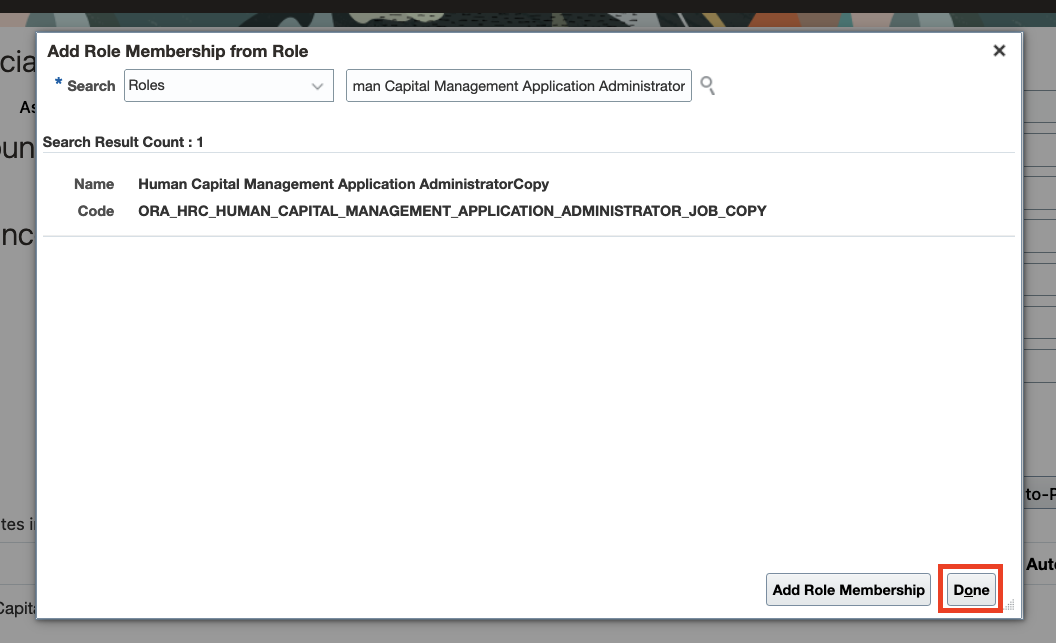
In the window that appears, for each required role: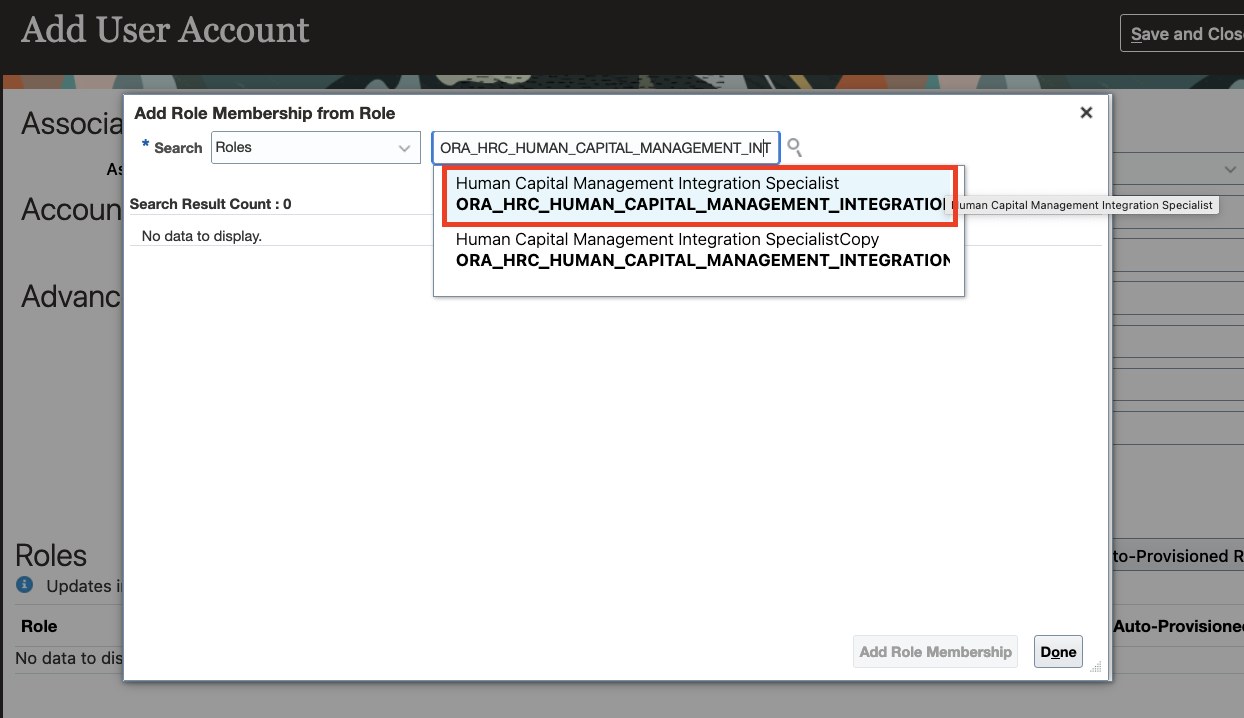
- Paste the role name into the Search box. Click the first result to populate the search results.
- Click the role result matching the correct Code. Then click the Add Role Membership button.
7
Save and Close
Confirm that the User Information and Roles are correct, then click the Save and Close button.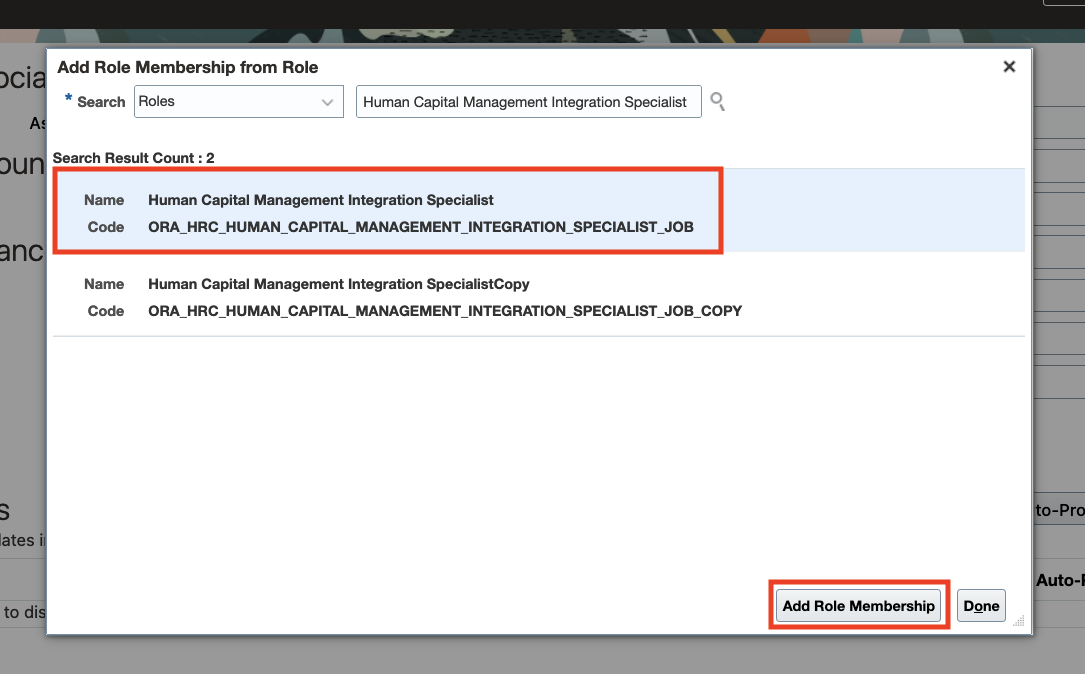
Connecting to StackOne
1
Enter Service User Details
Upon reaching the Link Account page, enter the Service User’s Username and Password from the previous step, and the Rest Server URL. Proceed by clicking the Connect button.