

Log in to Confluence
Log in to your Confluence account at https://id.atlassian.com/login.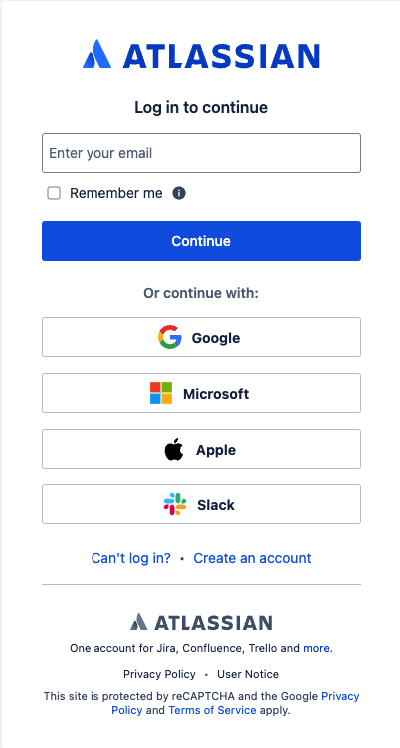
Find your Confluence Domain Name
1
Go to Confluence Page
Select the app switcher button in the upper left-hand corner of the screen and Select an organization in the table. Click on 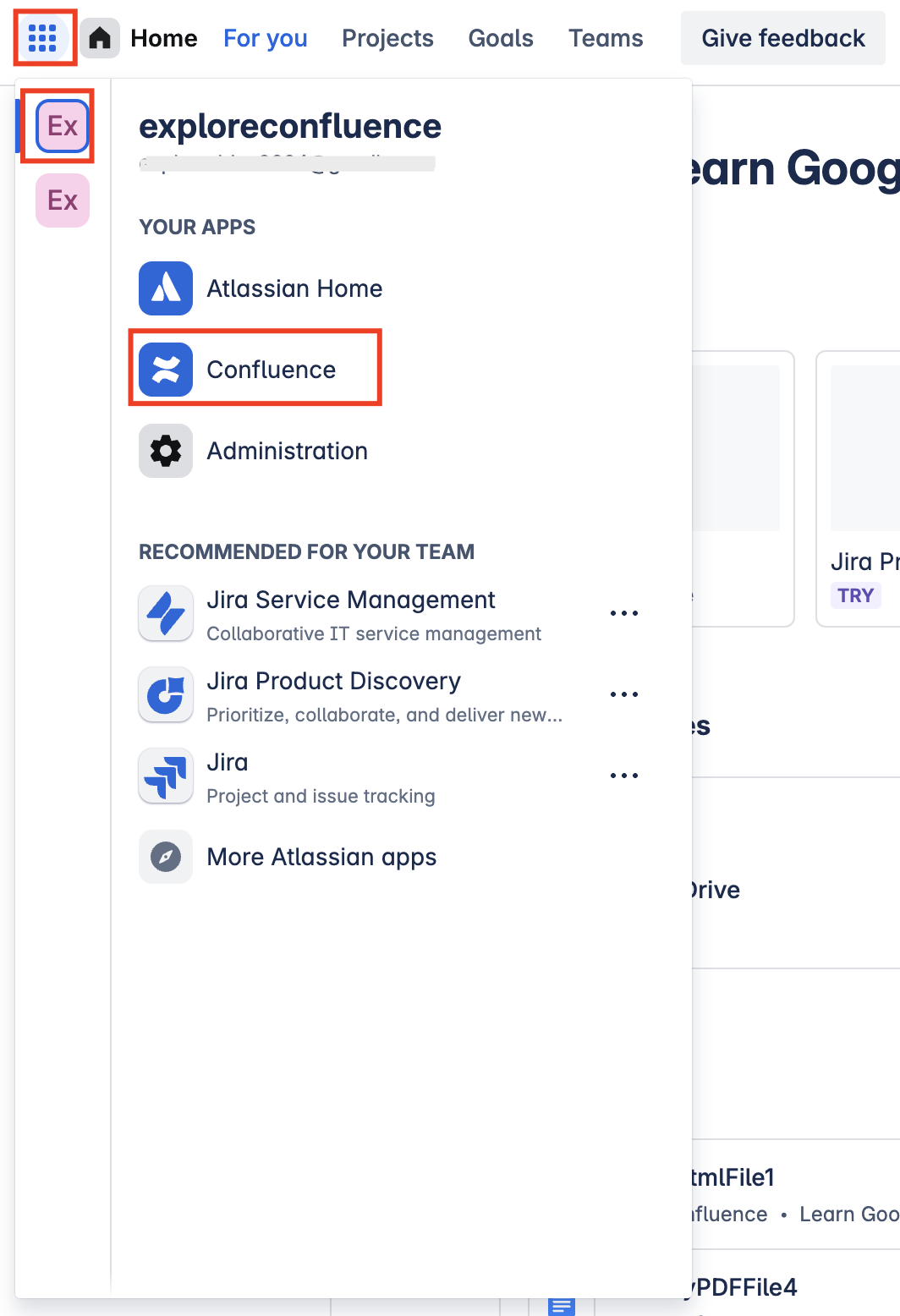
Confluence from YOUR APPS menu to open confluence.2
Find the Domain
In the URL bar of your browser, you can find the domain by selecting the text in front of 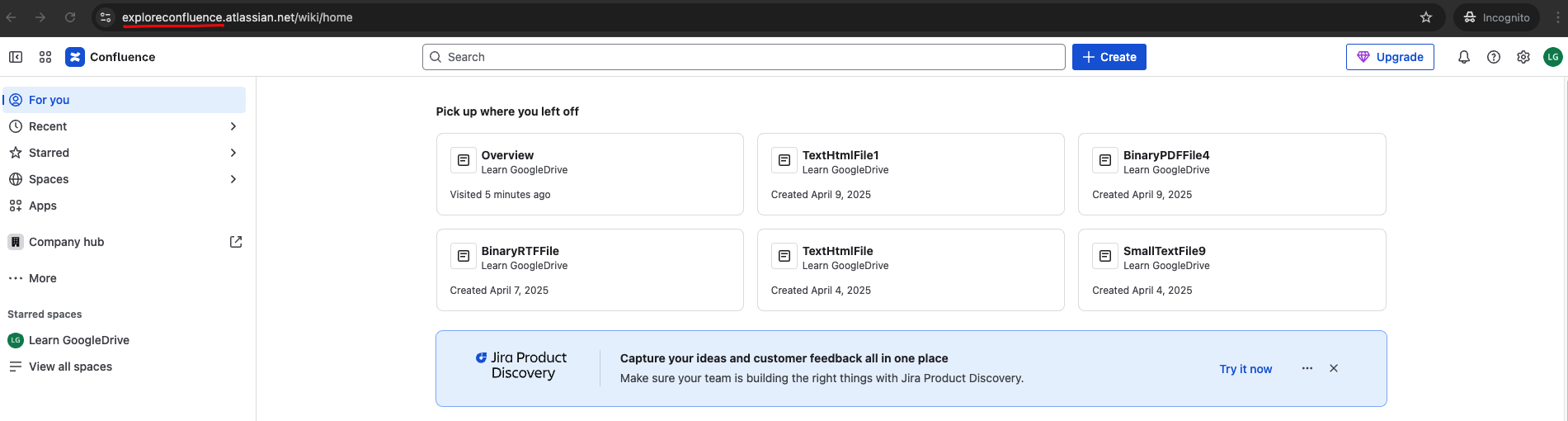
.atlassian.net.Create your Confluence API Token
1
Go to Account Settings
Select your profile in the upper right-hand corner of the screen and Click Account settings in the navigation menu.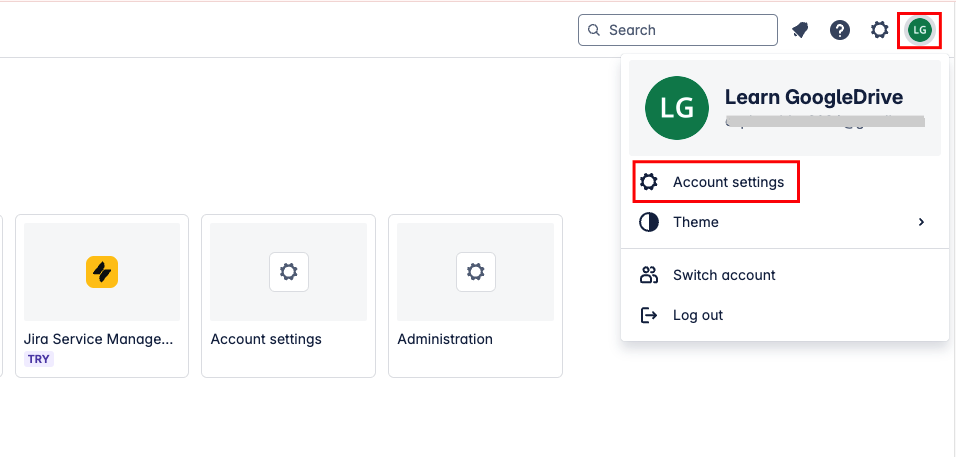
2
Navigate to API Tokens
Select 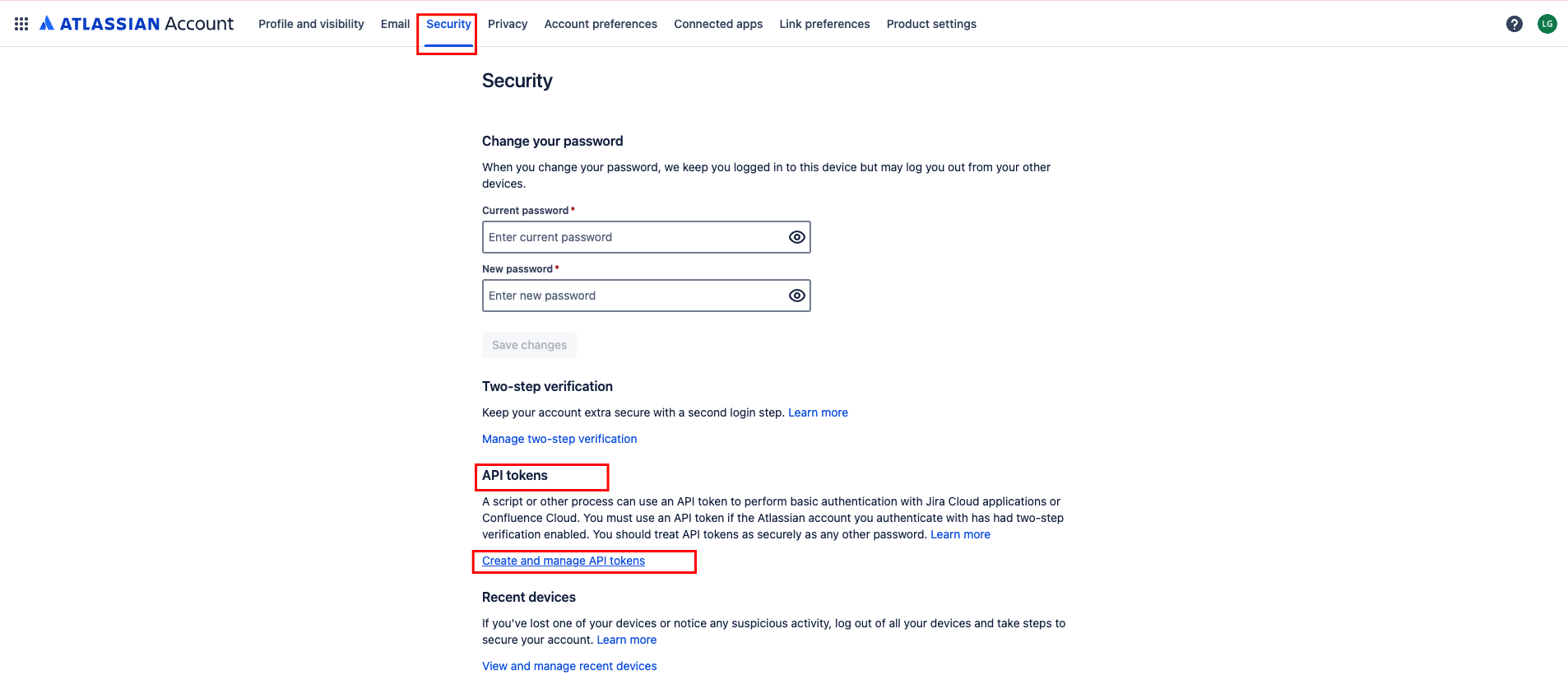
Security from menu and click on Create and manage API tokens under API tokens section.3
Create a new API Token
Click Create API token to create a new API Token.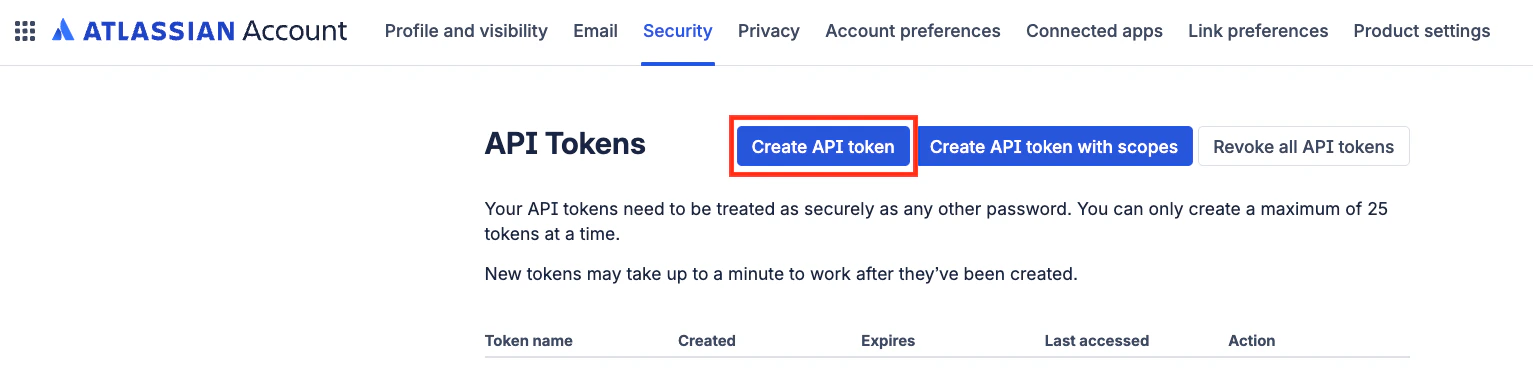
4
Enter API Token details
Enter the name and expiry date of the API Token and click on 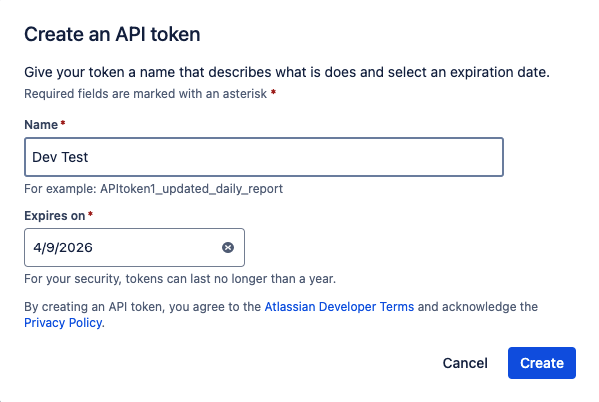
Create button5
Copy your API Token
Copy your API Token and store it safely to be used in a later step.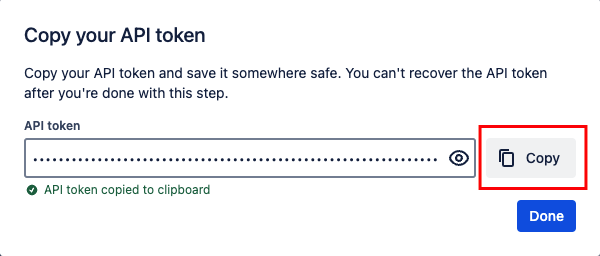
Find your UserName/Email
Your UserName/Email can be found at your profile in the upper right-hand corner of the screen.Linking your Account
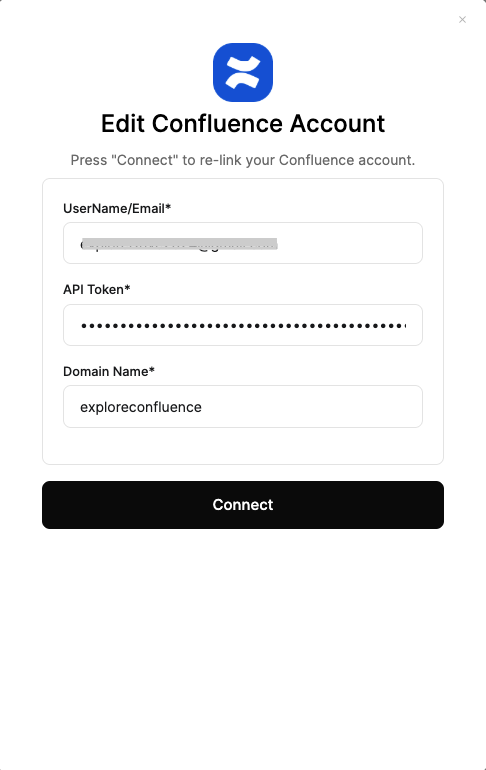
Upon reaching the Link Account page, select Confluence integration from hub and enter the credentials from the previous steps:- UserName/Email
- API Token
- Domain Name
Available data
This integration has the following DOCUMENTS Resources available from the provider:- Drives
- Files