

Generating Client ID and Clients Secret
1
Navigate to Settings
On the Home page, click on your Account avatar and select Settings.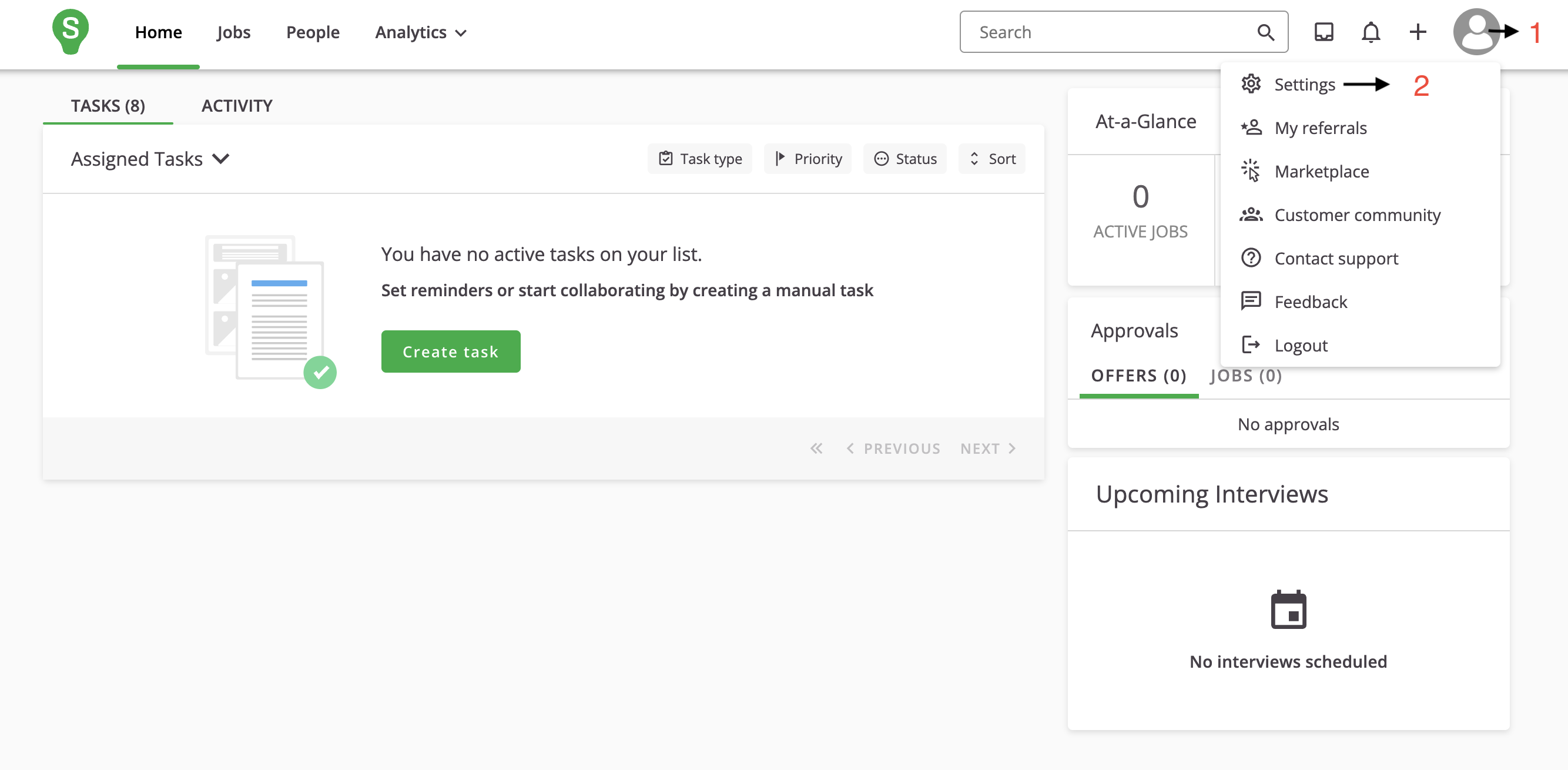
2
Go to Apps & Integrations
On the Settings page, click on Apps & Integrations under the Administration section.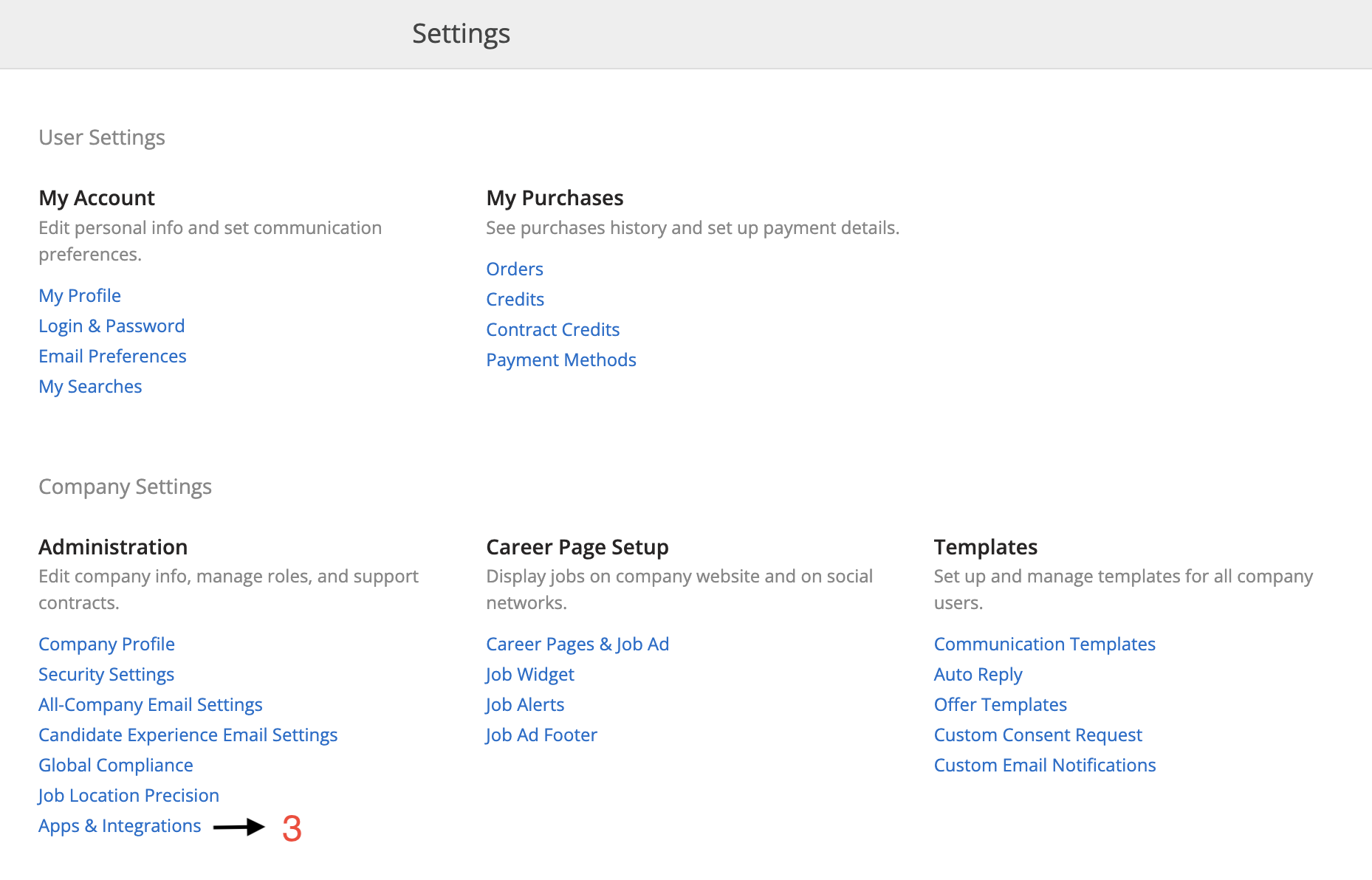
3
Open Credentials
On the Apps & Integrations page, click on CREDENTIALS.
4
Create New Credentials
On the CREDENTIALS page, click on the NEW CREDENTIALS button.
5
Select OAuth Client ID
Under the NEW CREDENTIALS section, select OAuth client ID then click on the NEXT button.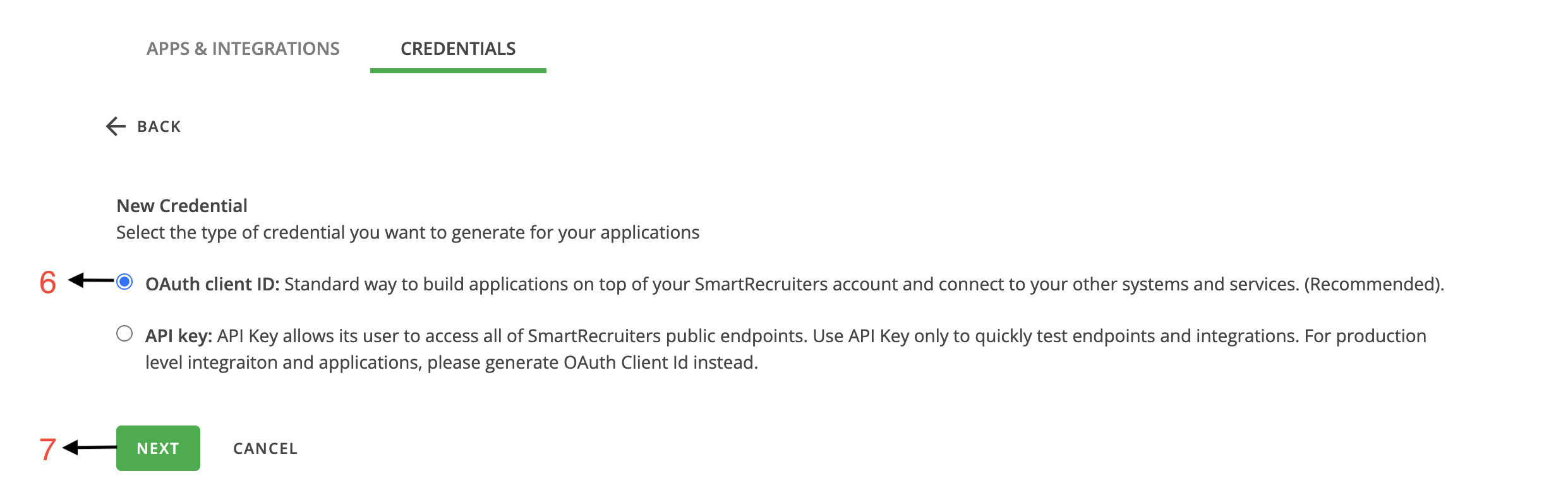
6
Generate Client ID and Secret
On the OAuth client ID page, fill in the required Fields and select Scope, then click on the GENERATE button at the bottom of the page.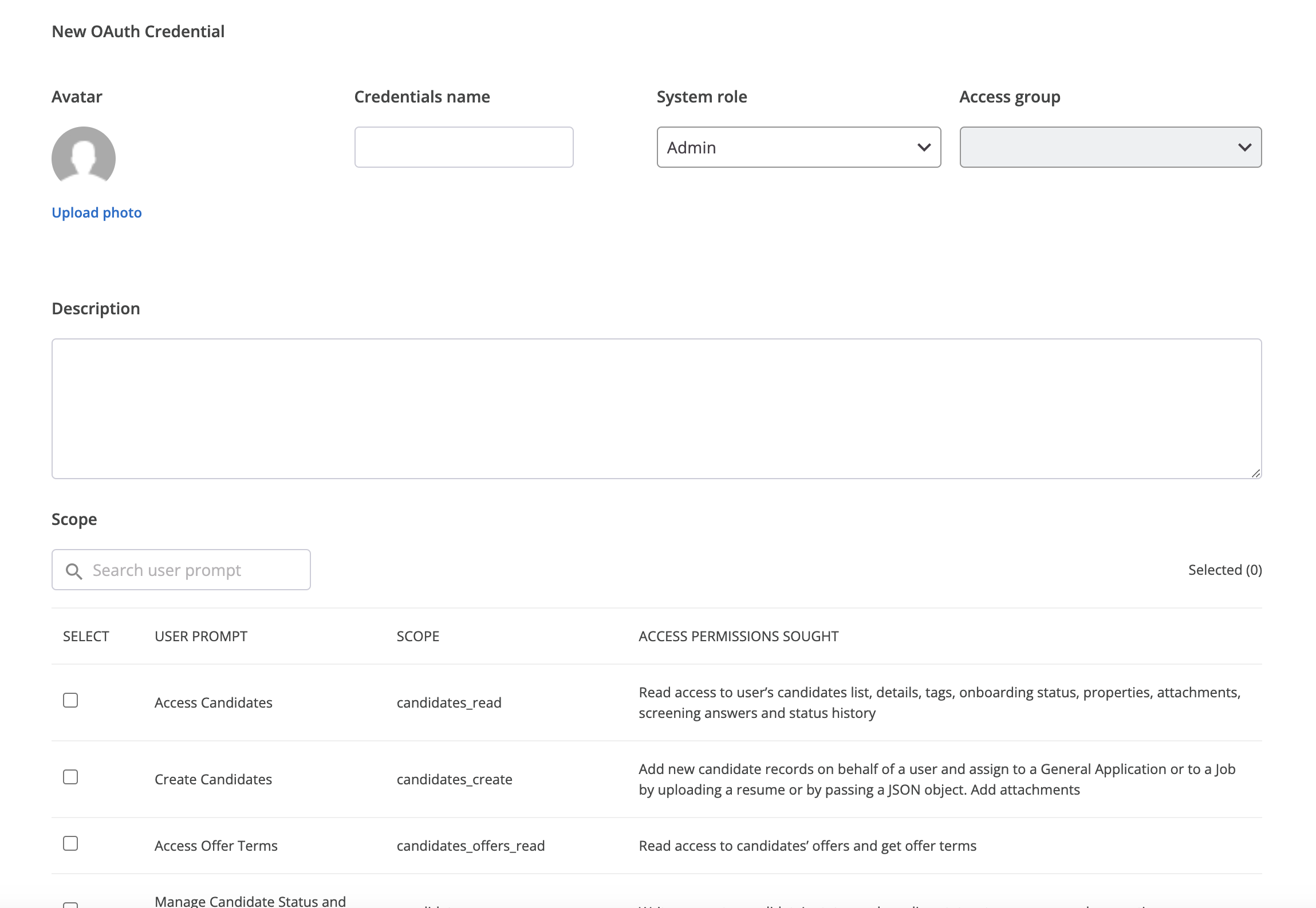
7
Copy Client ID and Secret
Copy your Client ID and Clients Secret by clicking Clipboard.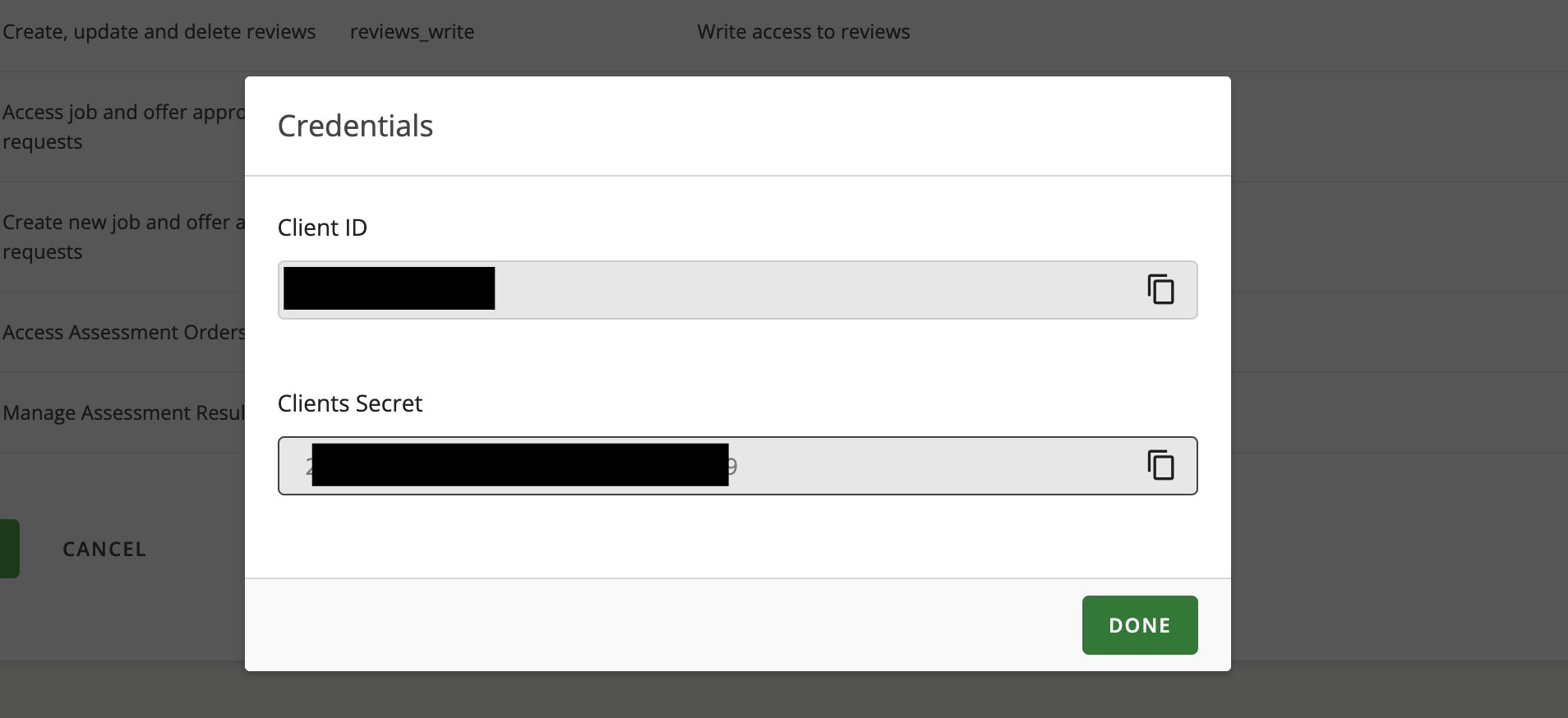
Utilizing Client ID and Clients Secret
1
Enter the Details
Upon reaching the Link Account page, enter the gathered details and proceed by clicking the 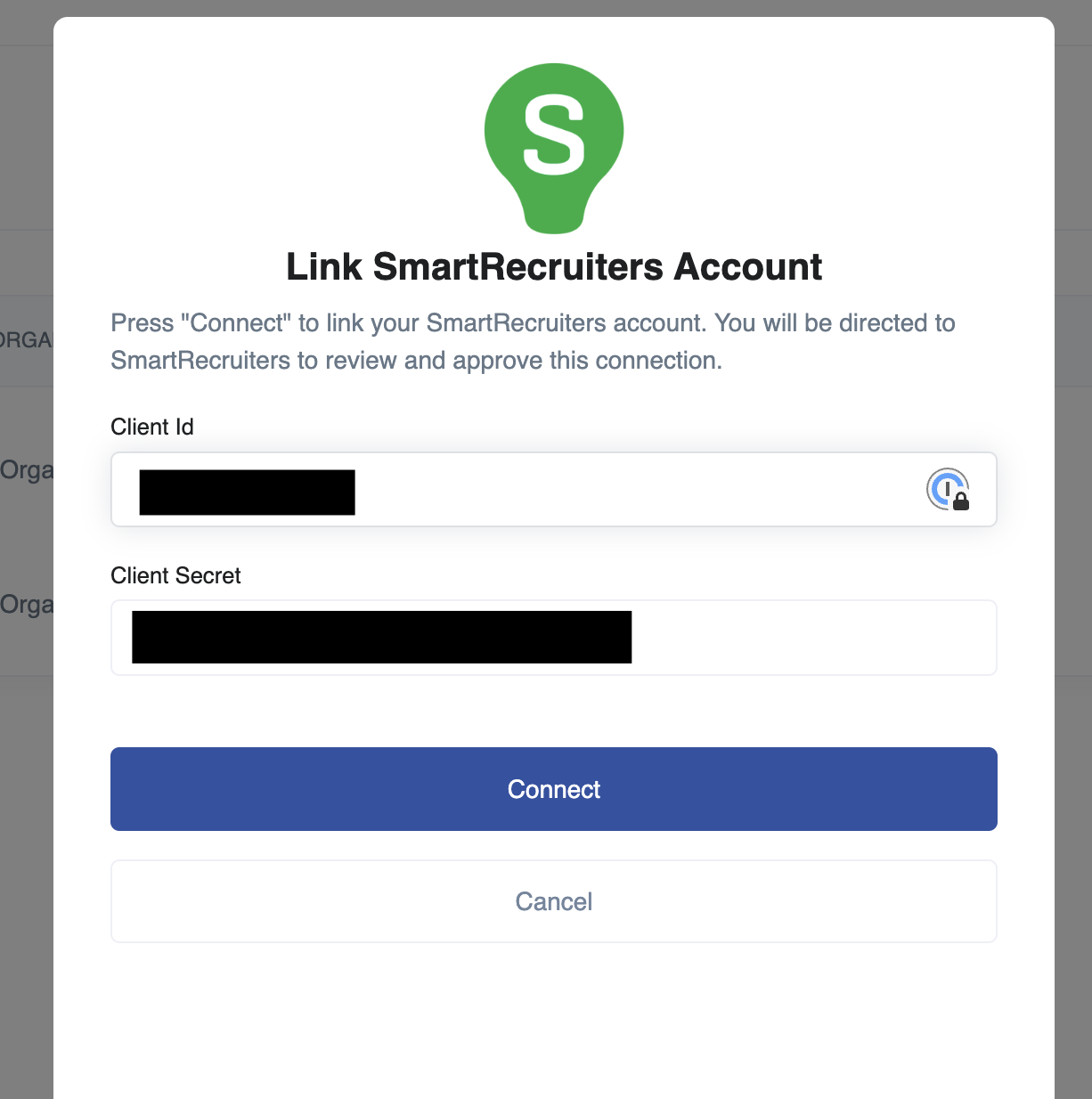
Connect button.